Contact
  • Register
  • Login
  • Shopping Cart (0)
logo
  • Home
  • Download
  • Buy Now
  • Help Center
  • Blogs
  • Support
  • Videos

Help Center - Windows Service Start / Stop

    • Requirements
    • 32-BIT or 64-BIT Decision
    • Install Smart Report Organizer
    • Create Your First Job
    • Run Your First Job
    • Reload / Update Report
    • Buy and Activate License
    • Install
    • Update to the latest version
    • Upgrade from older SRO versions
    • Move to a new computer
    • Backup Database
    • Uninstall
    • Create Job
    • Run & Export Jobs
    • Reload / Update Report
    • Configure Schedule
    • Configure Destination
    • Configure Parameters
    • Configure Connections
    • Email Settings (SMTP)
    • Email Contacts & Distribution Lists
    • FTP / FTPS Settings
    • Windows Service Settings
    • Windows Service Start / Stop
    • View Logs
    • Buy and Activate License
    • License Upgrade
    • Free vs Standard vs Business
    • Check Reports with Crystal Reports
    • Solve Runtime Problems
    • SQL LocalDB Sector Size > 4 KB

Windows Service Start / Stop

Stop the Smart Report Organizer Windows service(s):

  • Open the Services window, for example, by typing "services.msc" in the Run dialog box.
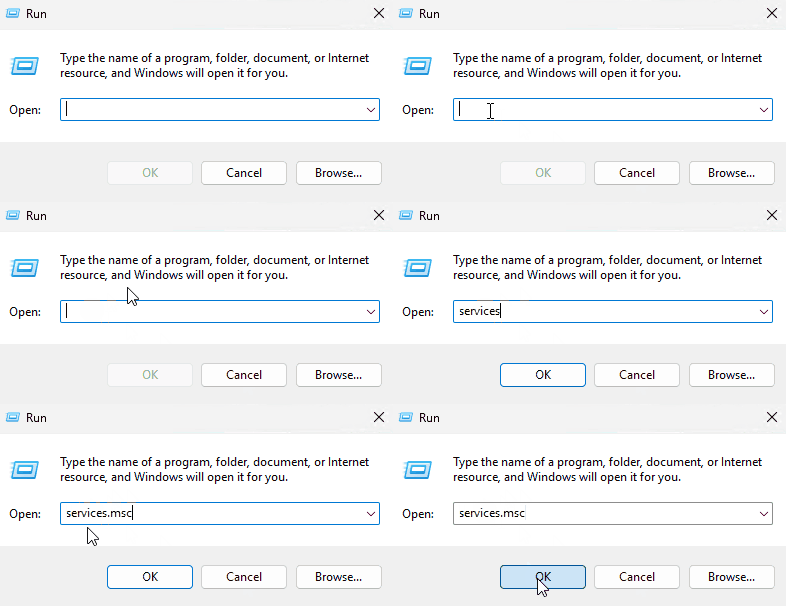
    Open Windows Services Manager
  • In Windows Services, you can stop the SRO service as follows:
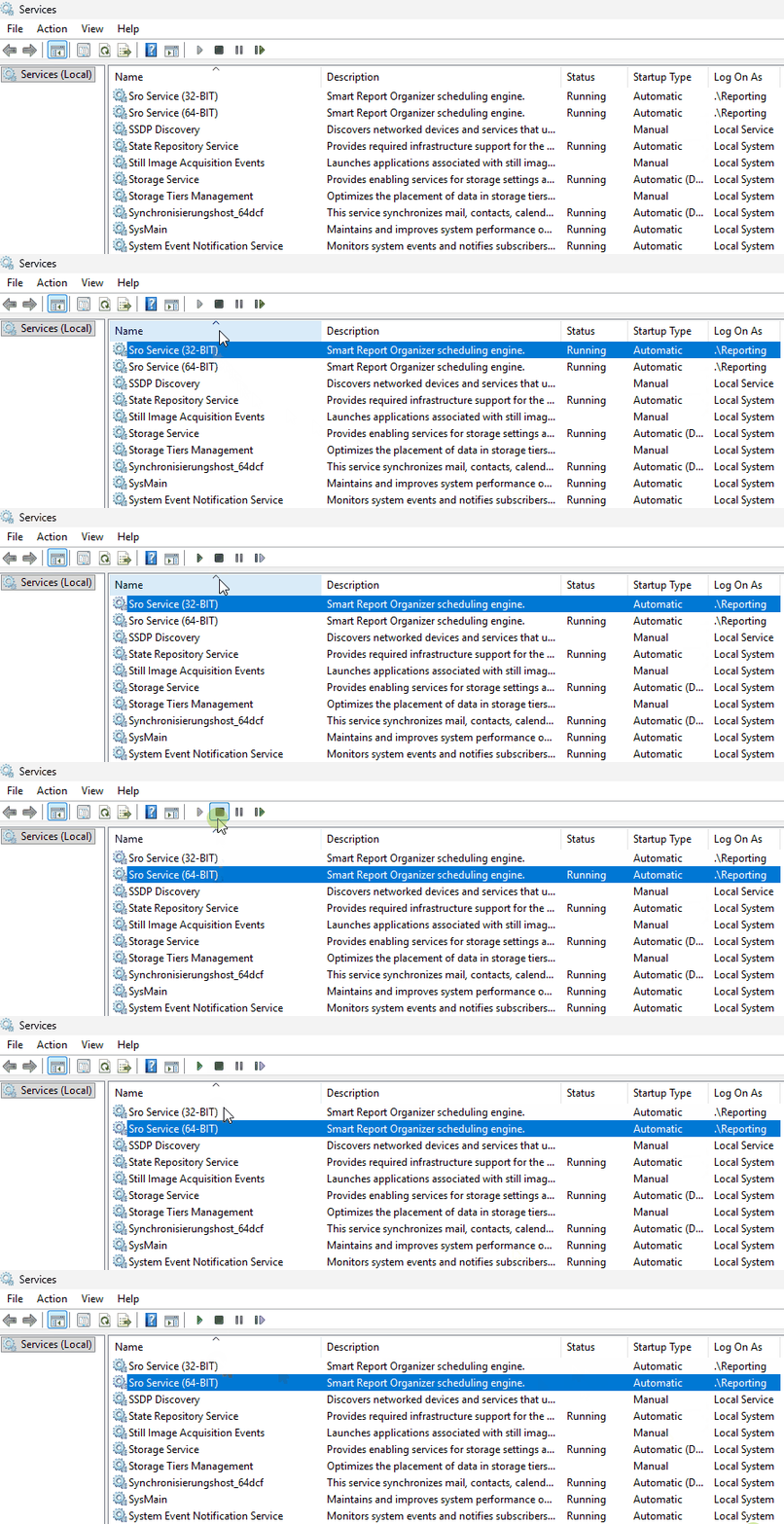
    Stop Smart Report Organizer Service

Privacy Settings

Cookie White

Cookies are used on our website. Some of them are mandatory, while others allow us to improve your user experience on our website.

Essential cookies are needed for basic website functions. This ensures that the website functions properly.

Essential Cookies

Marketing cookies include tracking and statistics cookies.

Facebook

Google Analytics

MouseFlow

Learn more about cookies used