Help Center - Configure Connections
Configure Connections
If your report requires database access, configure it here.
Authentication Types
- Windows Authentication: No credentials required
- SQL Authentication: Username and password required
Set up the database connections
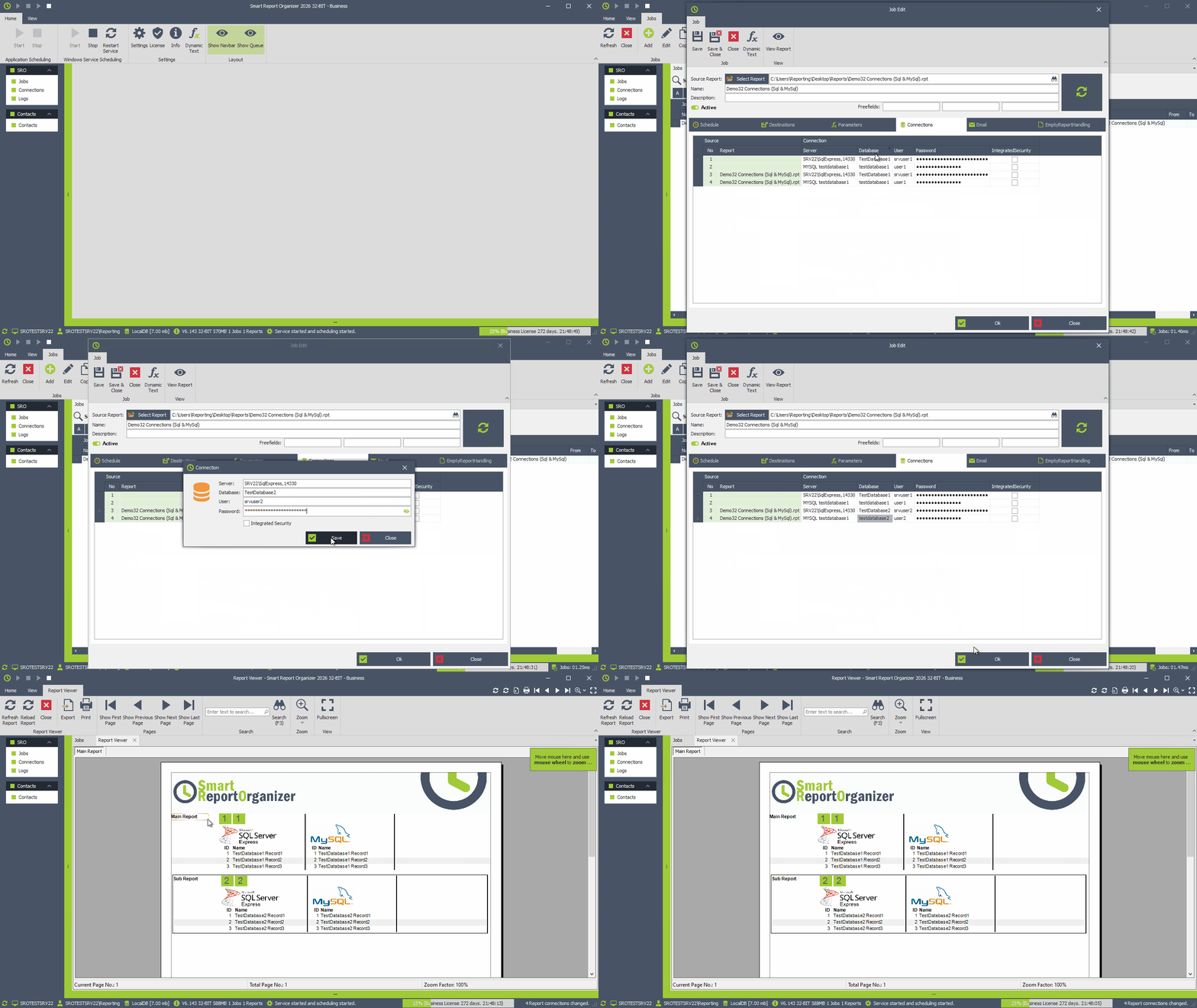
This example includes a main report and a subreport with different data sources.
Next, configure the database connections for both.
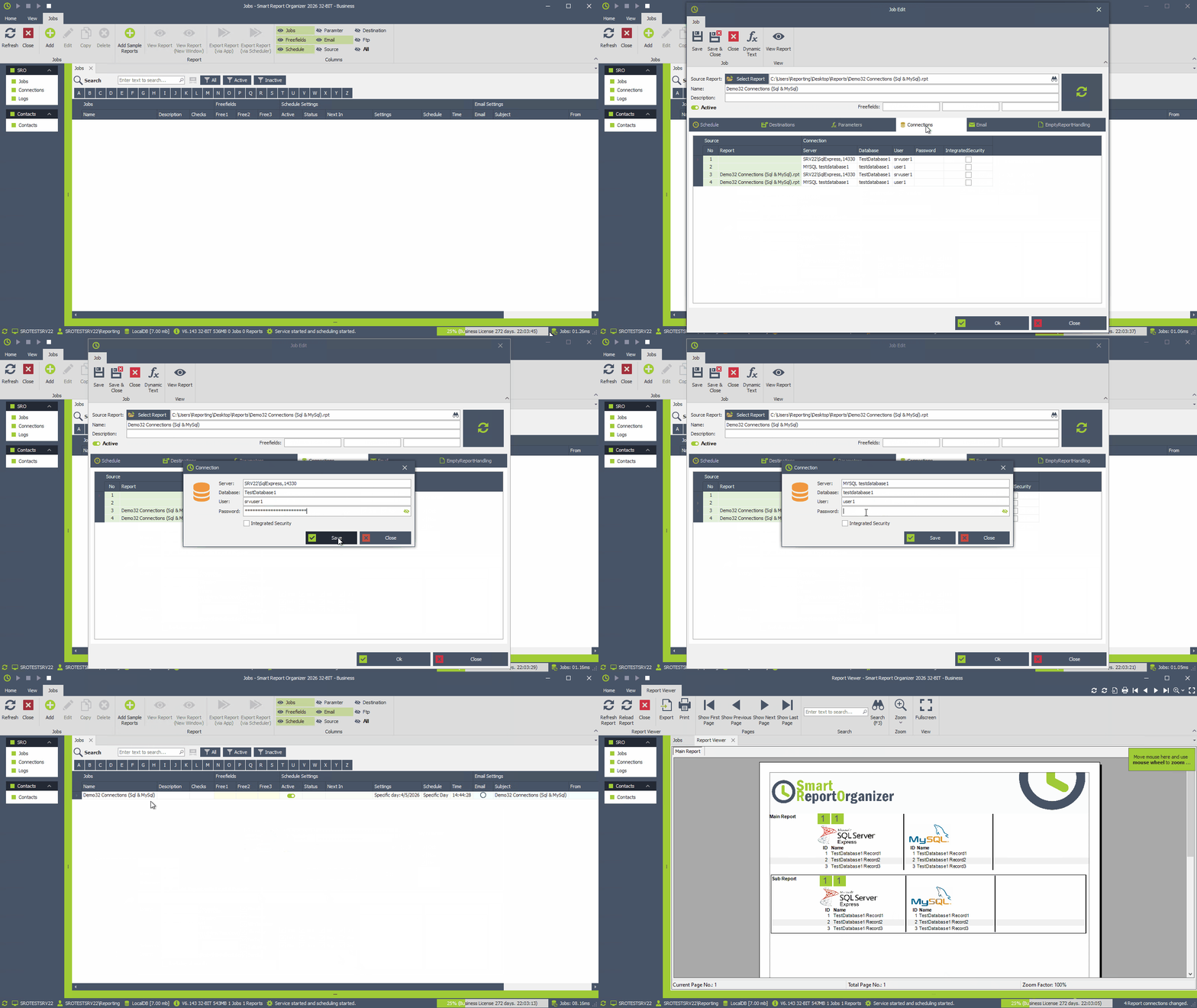
Change database connection settings:
With SRO, you can also override the connections in your report and, for example, change the server, database or user.
In this example, we will now change the destination database and user for the subreport.