Help Center - Configure Destination
Configure Destination (File Export & Email)
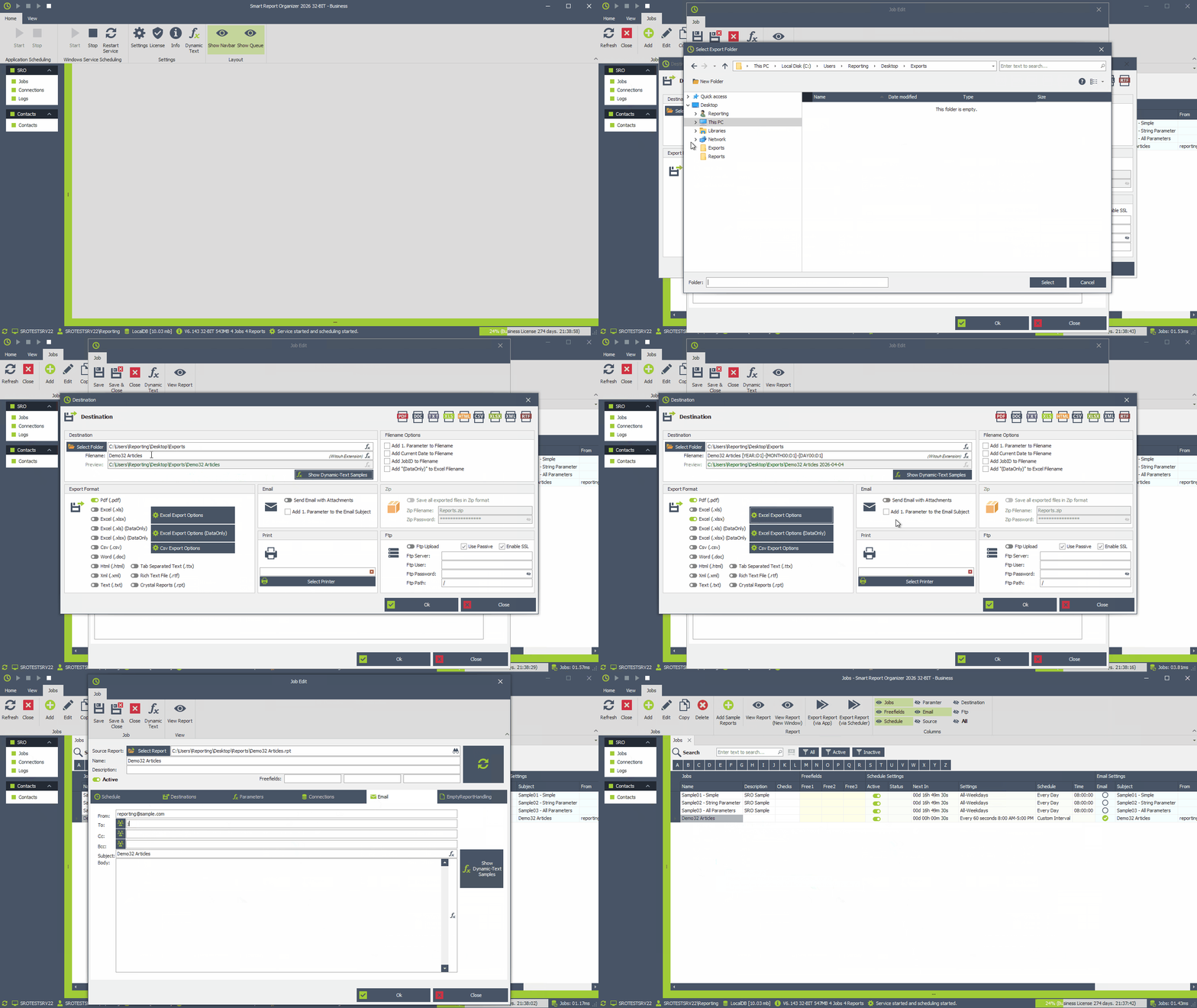
Define where the generated report should be saved and whether it should be sent by email.
- Go to the [Destinations] tab
- Click [Add] or [Modify]
File Export
- Click [Select Folder] and select the destination folder
- Specify the export filename without the file extension
- Select the file formats you want to export to (PDF, Excel, CSV, Word, etc.).
- Optional: Configure advanced export settings for Excel or CSV
- Select [Send Email with Attachments] to enable email sending.
- Click [OK] to save
Email Settings
- Go to the [Email] tab
- Enter the sender [From] and recipient(s) [To] [Cc] [Bcc]
-
Enter a subject and email body.
You can use HTML email body (Recommended)
You can use the dynamic text feature in the email subject line and email body. (Recommended)