Help Center - Install Smart Report Organizer
Install Smart Report Organizer
Note: These instructions apply to the first install of SRO2026.
If you want to update from SRO2026 to the latest SRO2026 version, follow these instructions: Update
If you want to upgrade from SRO 2018/2023/2025 to the latest SRO2026 version, follow these instructions: Upgrade
How to Install Smart Report Organizer
- Check Requirements: Requirements
- Check which version you need: 32-BIT or 64-BIT decision
- Download SRO: Downloads
-
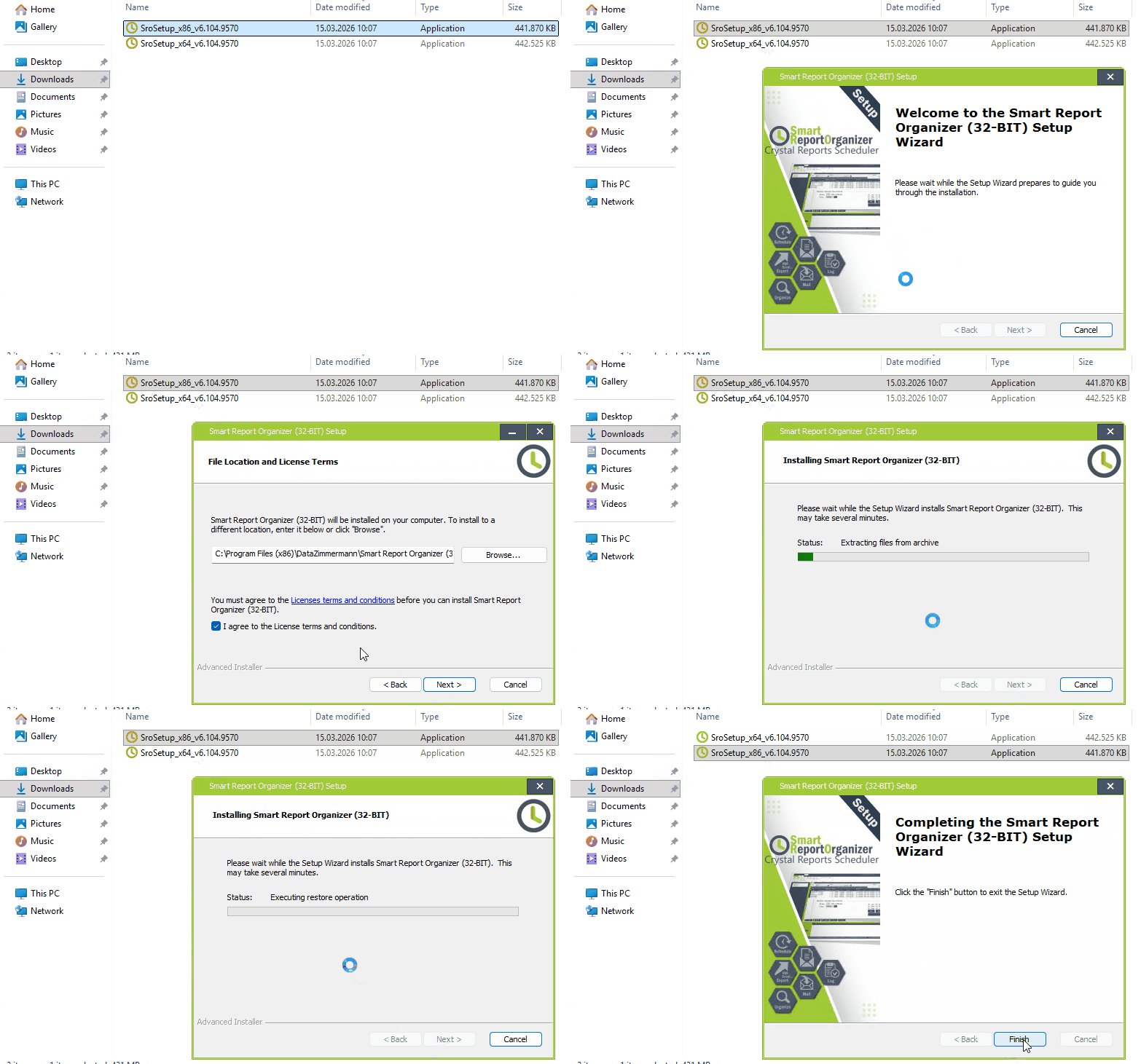
Run setup file:
-
Follow the installation wizard and complete the installation.
The installation wizard installs all required components automatically. -
Note: The installation sets the Windows service back to "Manual".
If necessary, set it back to "Automatic" and run the service.
