Help Center - Email Contacts & Distribution Lists
Email Contacts & Distribution Lists
Quickly organize, reuse, and manage email recipients for your reports.
Smart Report Organizer allows you to manage email recipients efficiently using contacts and distribution lists.
This helps you send reports to individuals, teams, or entire departments in seconds.
Overview
- Contacts: Individual recipients with email addresses and additional information.
- Distribution Lists: Groups of contacts (e.g. IT, Sales, Management).
- Flexible selection: Use single contacts, multiple contacts, distribution lists, or combine them as needed.
Create Contacts and Distribution Lists
- Add new contacts in the Contacts section.
- Create distribution lists (e.g. "Finance", "Marketing", "Sales").
- Select one or more contacts and assign them to one or more distribution lists using the right-click menu.
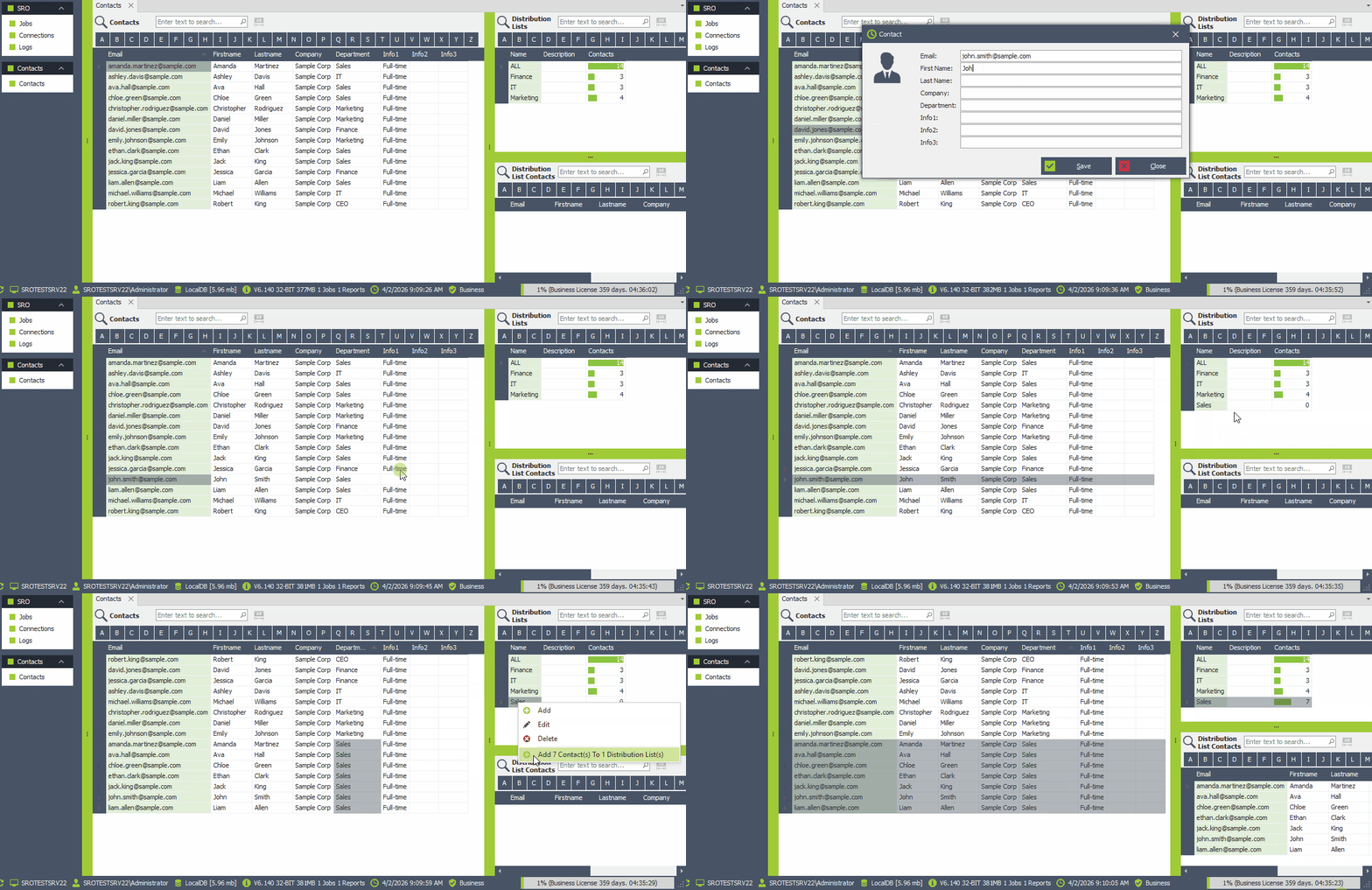
Easy creation and assignment of distribution lists
When configuring your distribution lists, you can assign contacts in various ways:
- Select one or more contacts.
- Select one or more distribution lists.
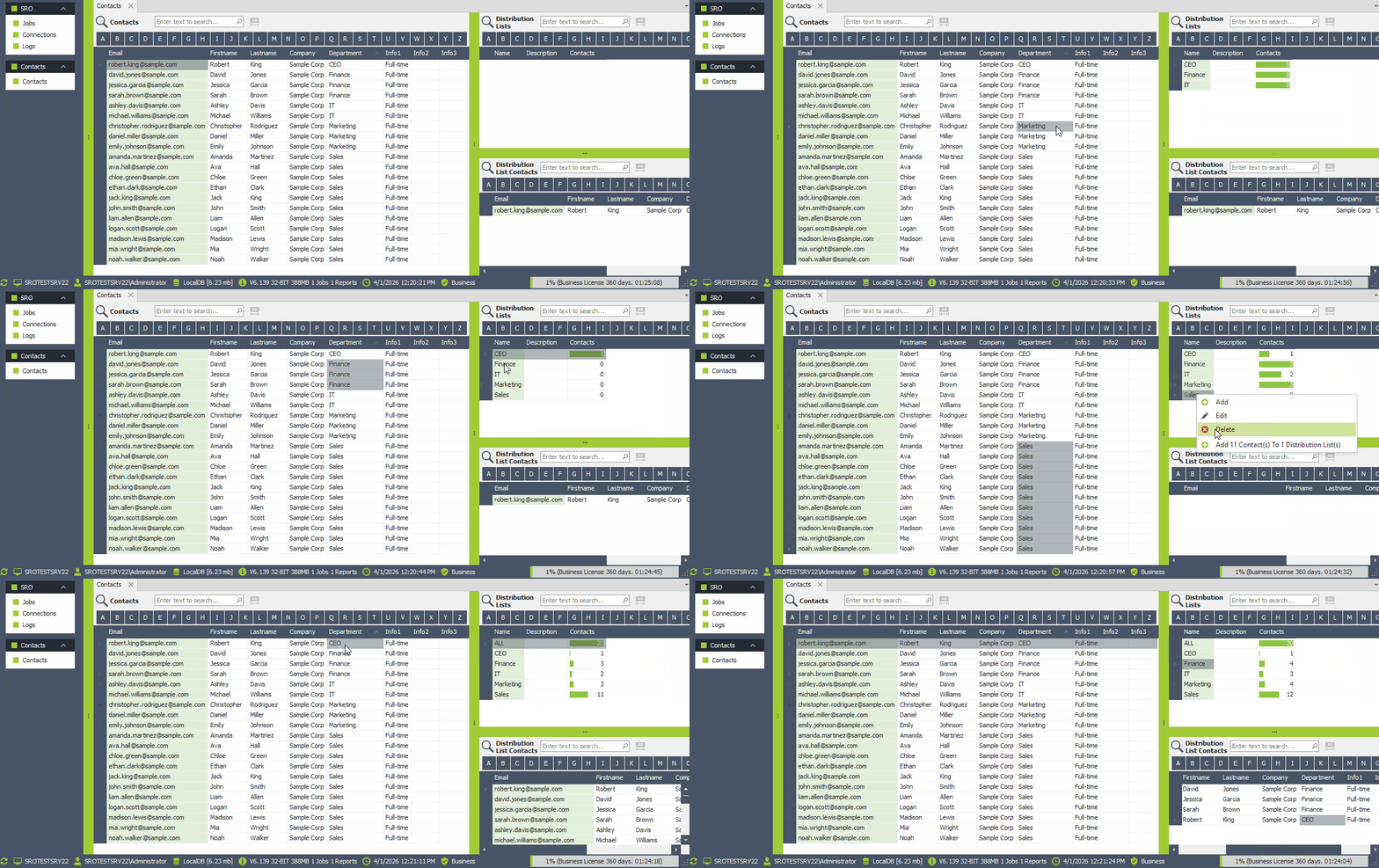
- Right-click and choose Add Contact(s) to Distribution List(s).
In this example, we create a distribution list for each department, one for all, and add the CEO to all distribution lists.
SRO automatically prevents duplicate email addresses within the same list.
Edit Entries Like in Excel
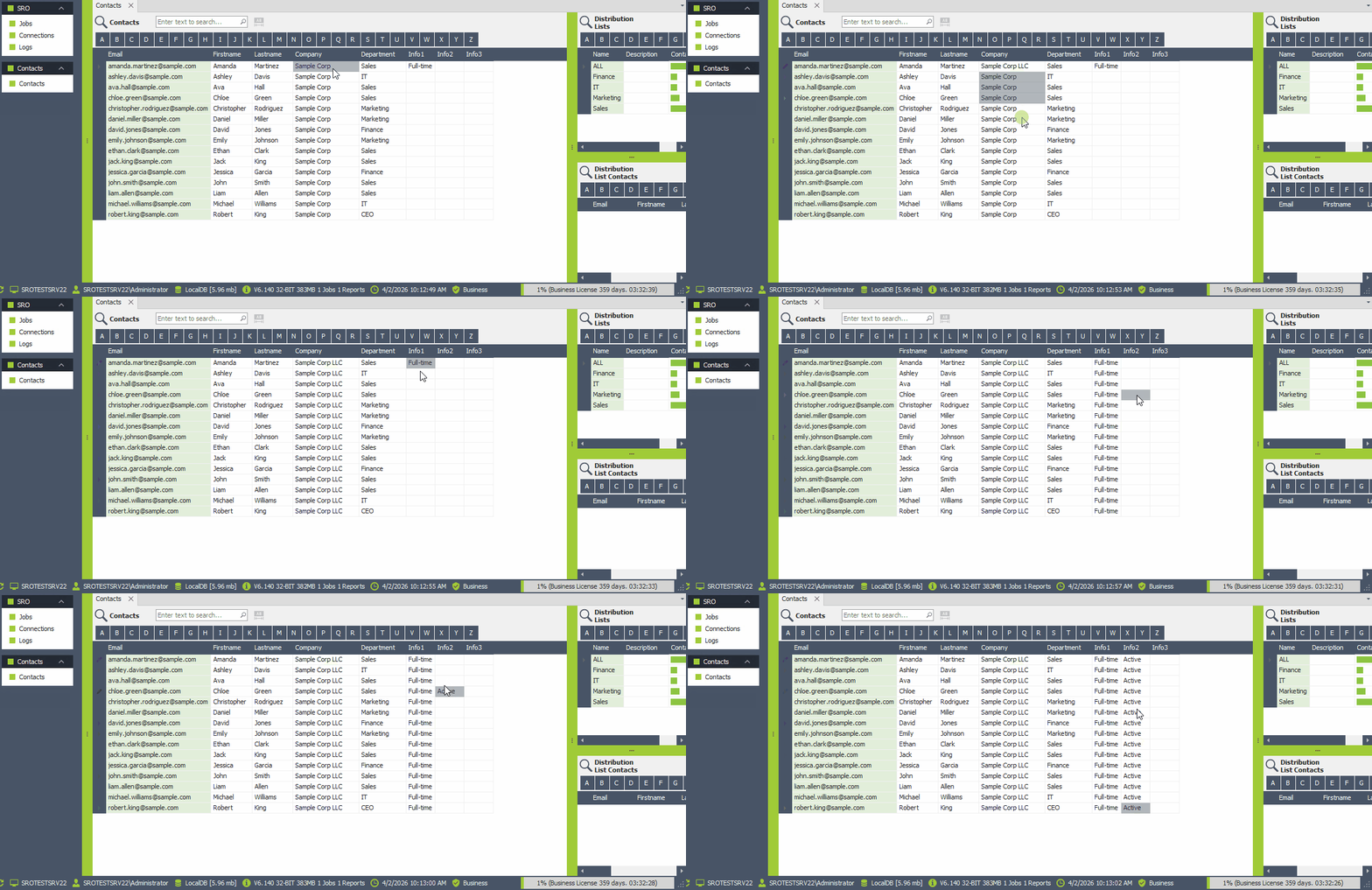
Edit your entries quickly using intuitive, Excel-like behavior.
Press F2 to edit a cell and use copy & paste to duplicate or transfer content between cells.
This significantly speeds up editing and managing multiple records.
Use Contacts and Distribution Lists in Emails
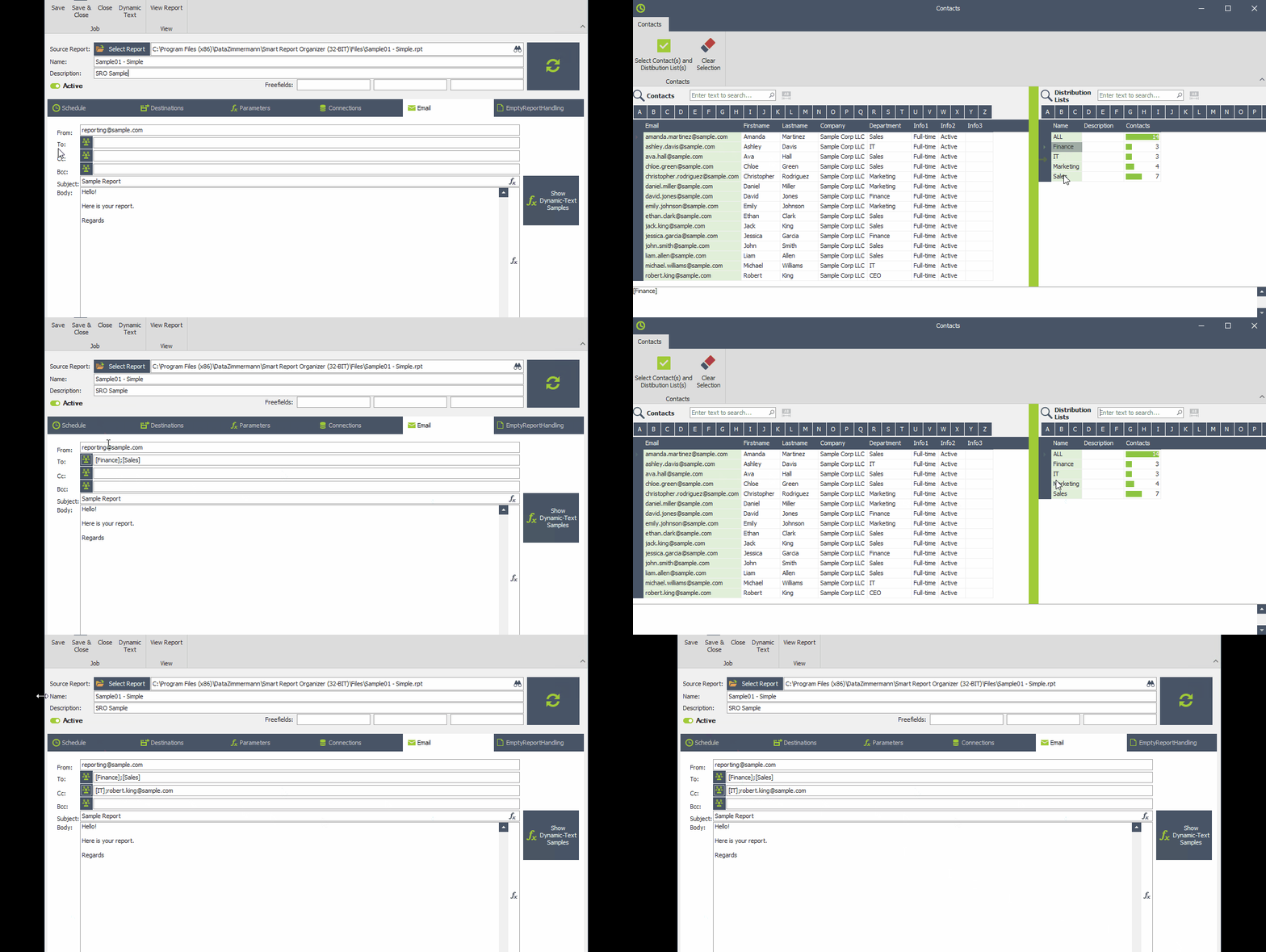
When configuring a job, you can easily define email recipients in different ways:
- Enter email addresses manually
- Select one or more contacts
- Select one or more distribution lists
- Combine all of the above
The following example shows how we select [Finance] and [Sales] as recipients and [IT] and one contact as CC recipients.
Using contacts and distribution lists helps you save time, reduce errors, and manage email recipients more efficiently.
