Download Smart Report Organizer
Schedule, export and email Crystal Reports automatically.
Start free with up to 3 report jobs. No time limit.
32-bit: SAP Crystal Reports 2008 / 2011 / 2013 / 2016
64-bit: SAP Crystal Reports 2020 / 2025
Install and get started
Install Smart Report Organizer and use the built-in Getting Started guide to create your first automated report job. The Free Version lets you run up to 3 jobs with no time limit.
Version-History
Version History - Smart Report Organizer 2026
-
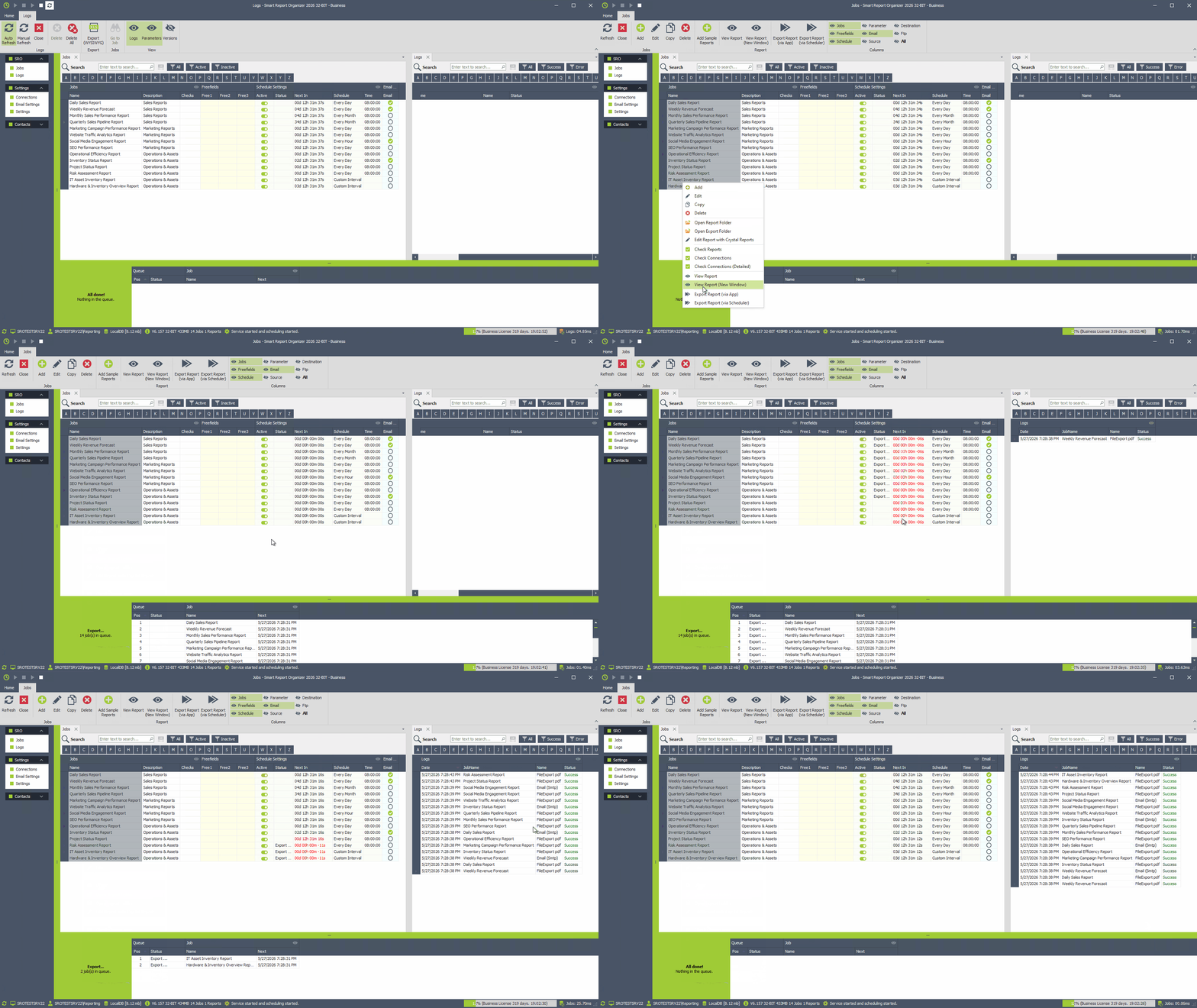
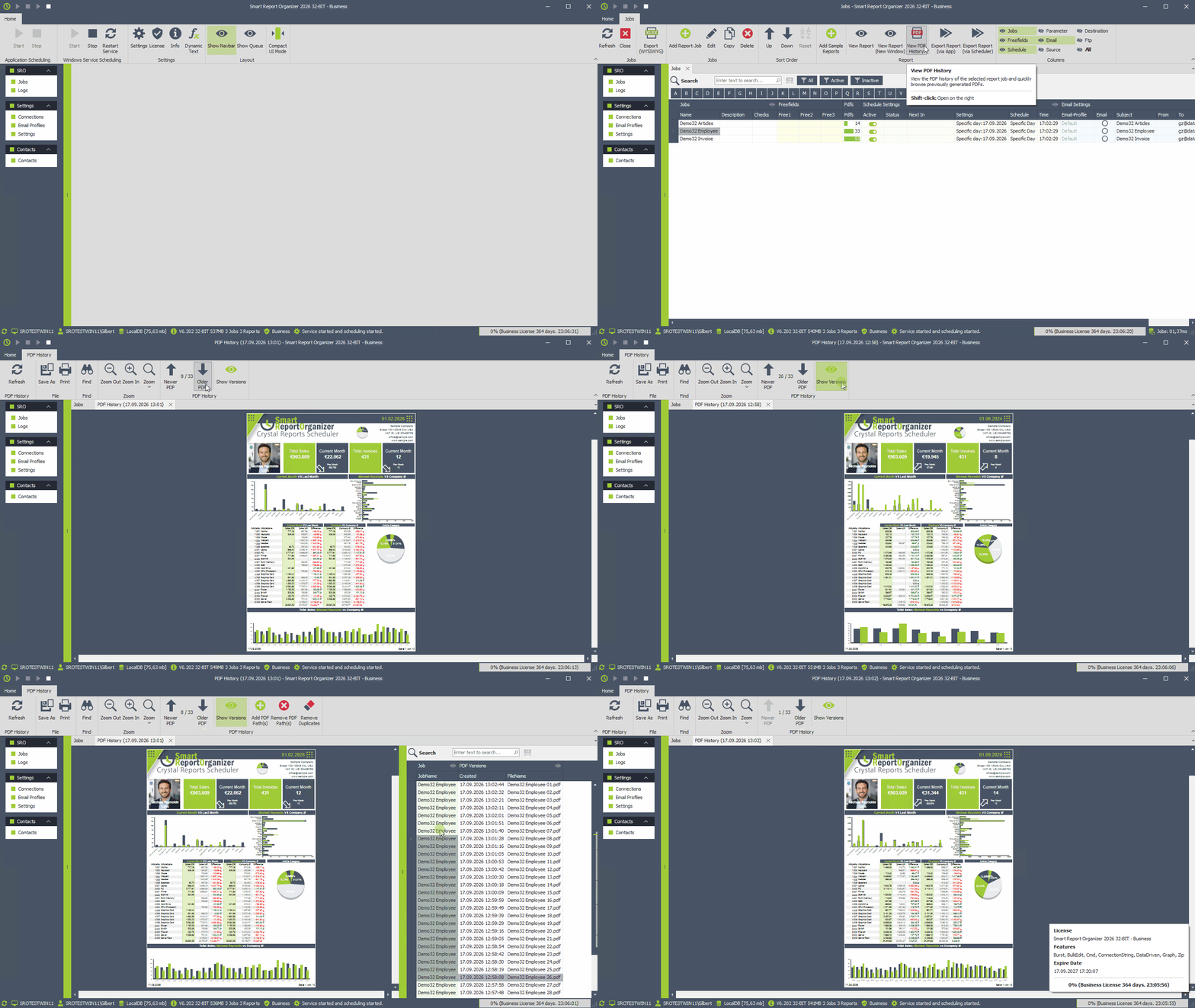
New Feature: PDF History
Smart Report Organizer now keeps track of generated PDF files for each report job. Quickly browse older and newer PDF versions, view previous report results directly in the integrated PDF viewer, or select a specific version from the complete PDF history. -
Improved: Job Export Order
When manually exporting multiple jobs, they are now processed in exactly the order in which they were selected. -
Improved: Window Position & State
Smart Report Organizer now remembers the window position and window state when the application is closed and restores them the next time it is started. - Bug fixes, enhanced stability, and improvements in client performance.
-
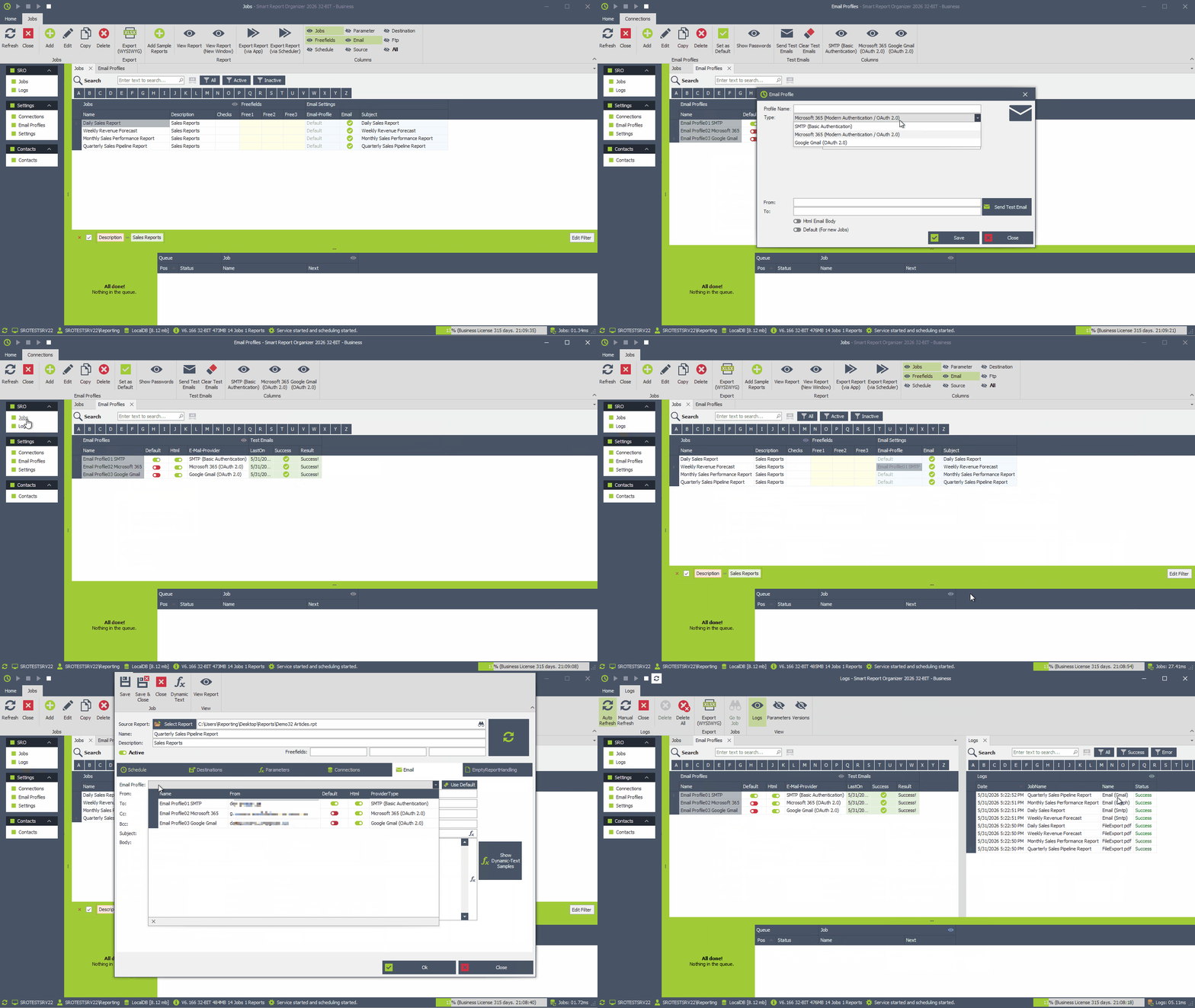
New Feature (Business Edition): Modern Email Authentication & Multiple Email Profiles
Smart Report Organizer now supports Microsoft 365 and Gmail with OAuth 2.0 authentication in addition to traditional SMTP accounts. - Create and manage multiple email profiles, define a default profile, or assign a dedicated email account to each report delivery job.
- Existing SMTP settings are automatically migrated to the new email profile system during the update process.
- SMTP configuration now provides enhanced security options, including selectable security modes and automatic TLS version negotiation for improved compatibility with modern and legacy SMTP servers.
- Bug fixes, enhanced stability, and improvements in client performance.
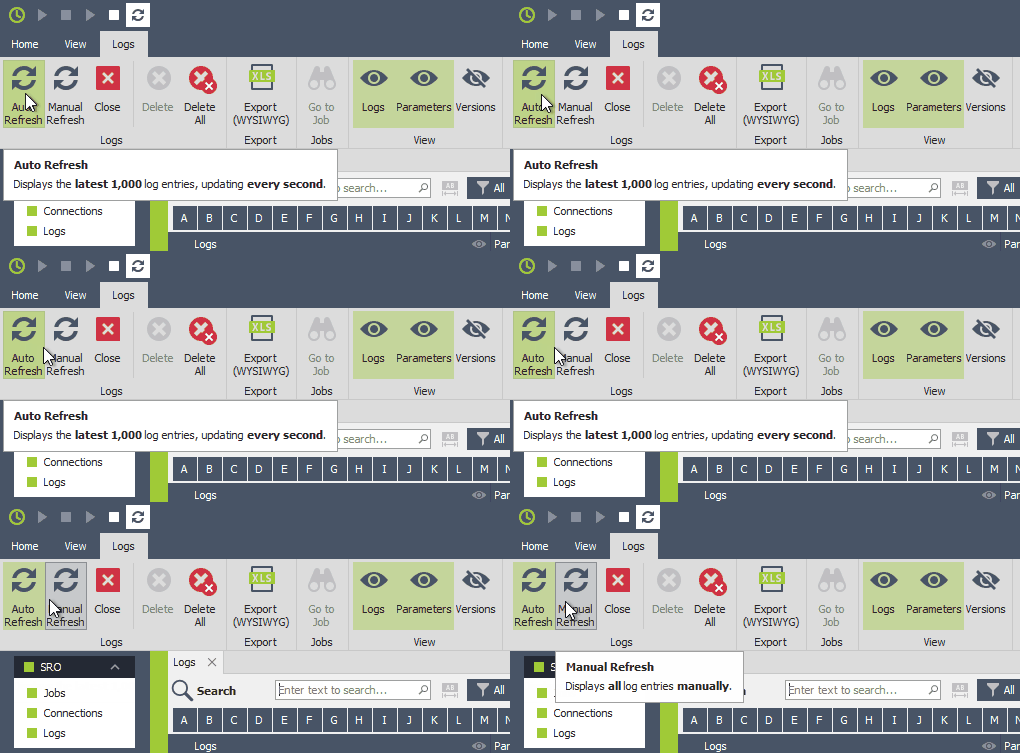
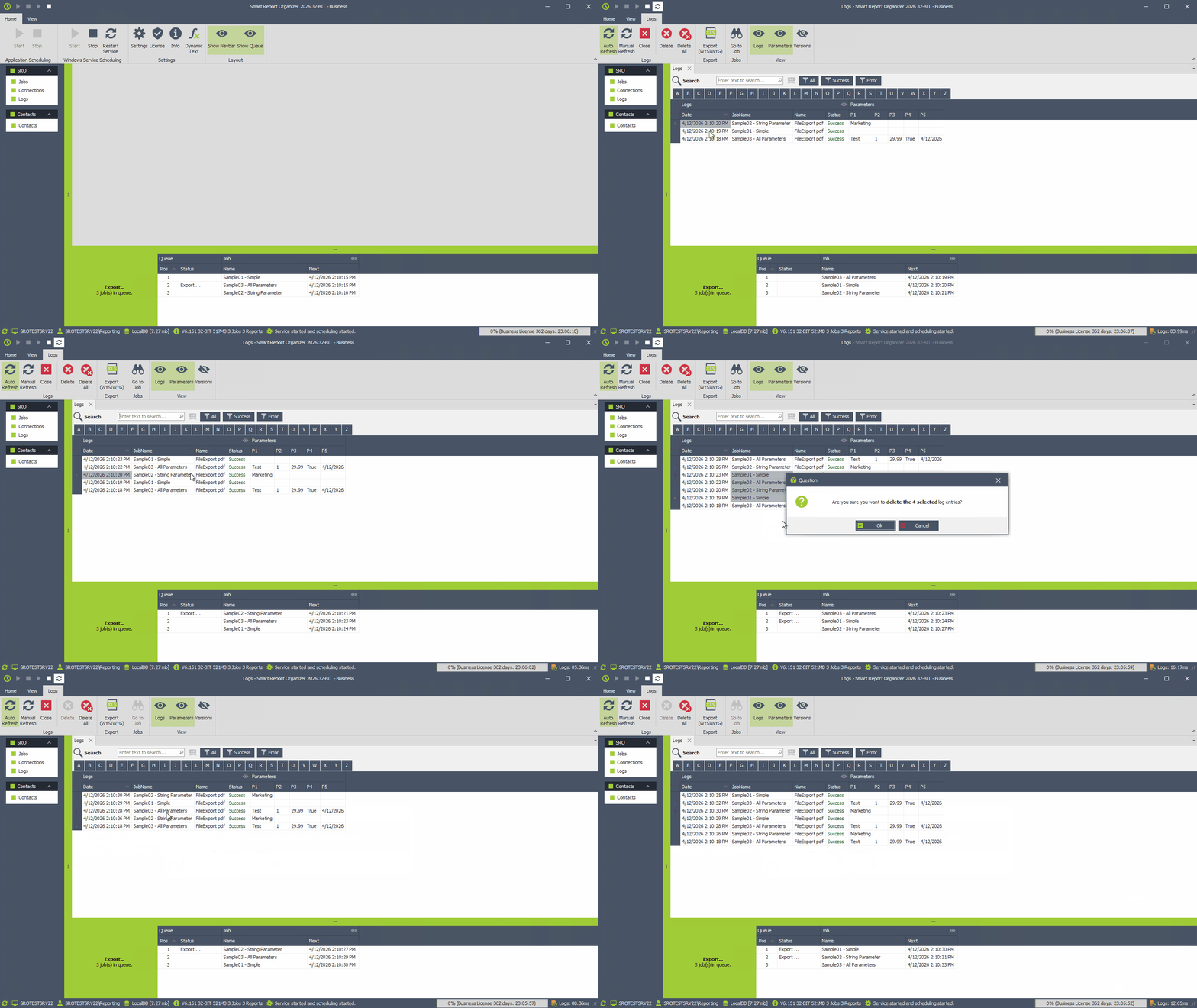
- In the log window, you can now choose between automatically loading 1,000 log records and loading all log records at once.
- Bug fixes, enhanced stability, and improvements in client performance.
-
Smart Report Organizer has been completely rebuilt and modernized for 2026 with a new user interface, improved workflows, advanced grid features, and better overall usability.
Explore the What's New page for an overview of the latest features and improvements. - Added powerful new features including advanced grid search, Excel-like editing, flexible report scheduling, connection validation, and an enhanced report viewer.
- Bug fixes, enhanced stability, and improvements in client performance.
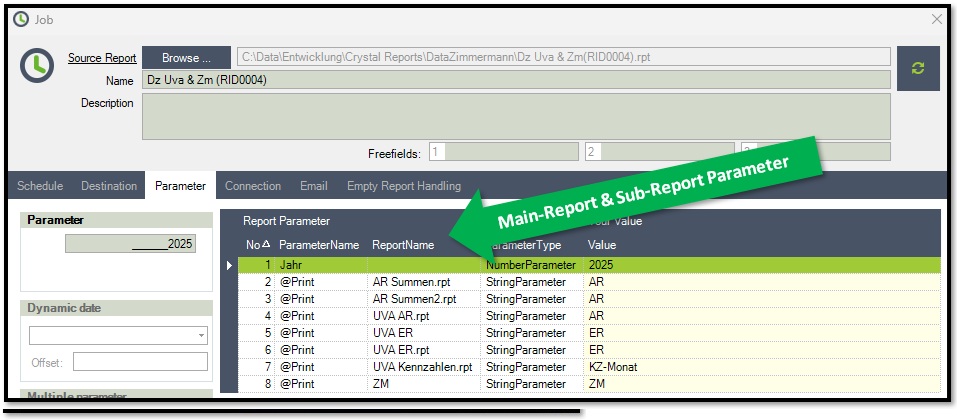
 Main- & Subreport Parameter
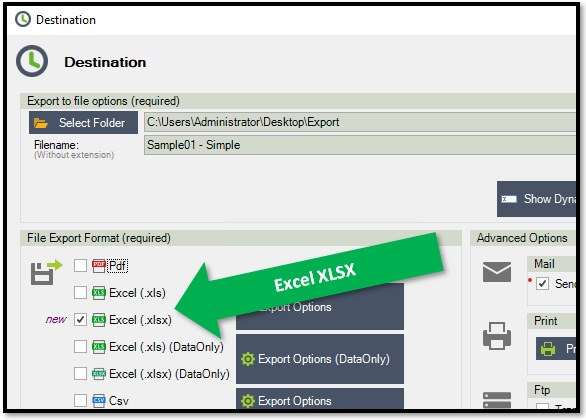
- New Feature: Reports can now be exported in Excel "XLSX" format.
- New Feature: Report parameters now distinguish between Main-Report and Sub-Report, making parameter input easier and more intuitive.
- Bugfix: Resolved an issue where manually exporting reports caused multiple email sends when multiple jobs were selected. (The problem only affected manual export)
- Bugfix: A problem that prevented the application from starting has been resolved.
- Bug fixes, enhanced stability, and improvements in client performance.
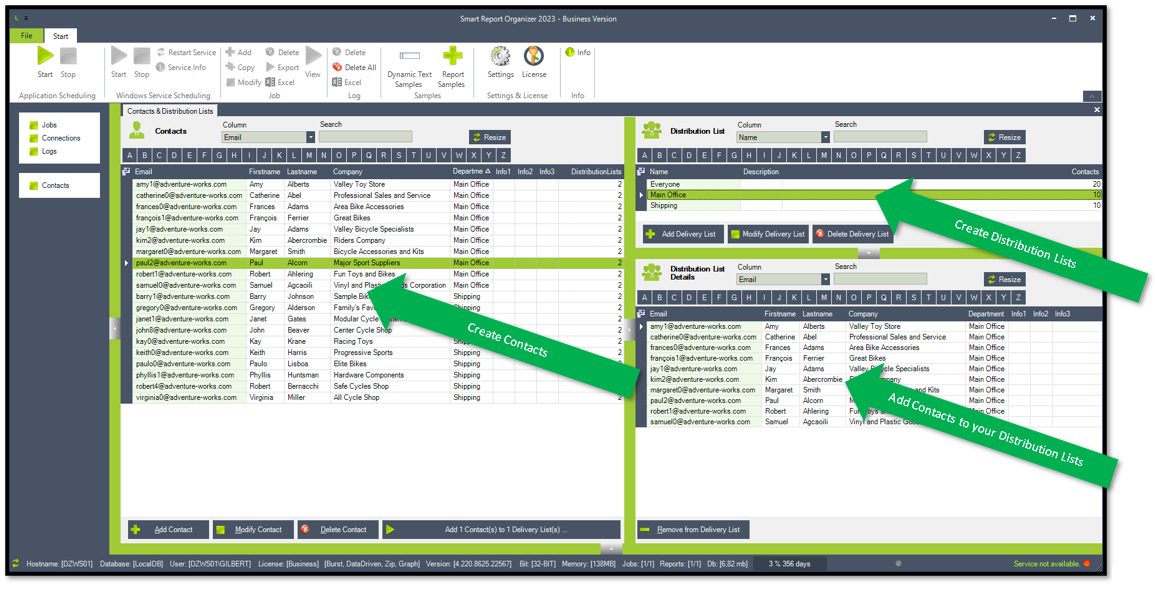 Email Distribution Lists
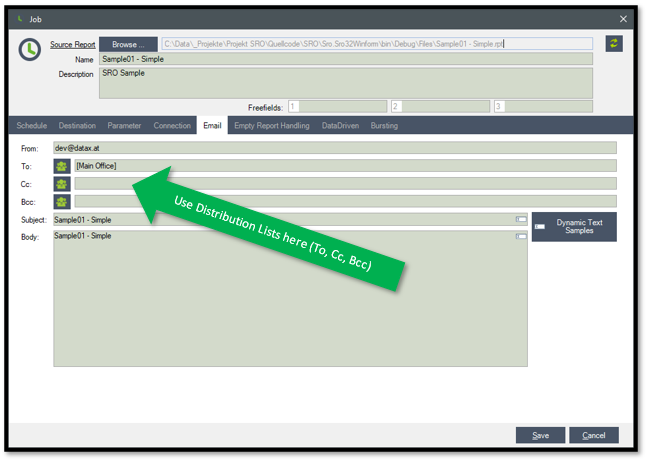
- New Feature: Now you can create and manage email contacts and distribution lists directly within the Smart Report Organizer. Utilize email distribution lists as recipients for your reports.
- New Dynamic Text Option to use your parameters: [p1] [p2] [p3] [p4] [p5]
- New Dynamic Text Option to create random guid: [guid]
- New Feature: The job parameters are displayed with the sorting from Crystal Reports.
- Bugfix: Resolved issues related to sending emails with empty email subjects or bodies.
- Bugfix: The free version allows 3 jobs again and the scheduling button is activated as expected.
- Bugfix: A dynamic date selection without offset specification is calculated as offset 0.
- Bugfix: All types of parameters are now correctly transferred to the report again.
- Bugfix: Setting the password for several connections at the same time works correctly again.
- Security: Service installer now auto-quotes paths with spaces to prevent unquoted-path escalation.
- Bug fixes, enhanced stability, and improvements in client performance.
- Please note: Updating from older SRO versions to SRO2026 requires additional steps as described here.
Version History - Smart Report Organizer 2023
Email Distribution Lists
- New Feature: Create and manage email contacts and distribution lists in Smart Report Organizer. Use email distribution lists as recipients of your reports."
- Bug fixes, increased stability and client performance improvements.
 Office365 - Concurrent connections
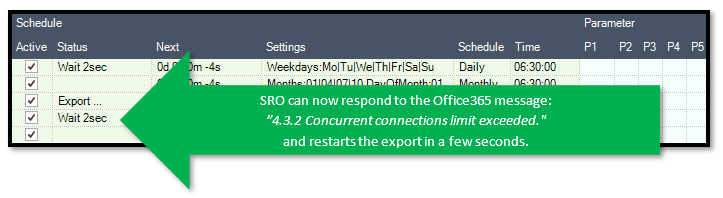
- Feature: The settings for the window layouts can now be saved.".
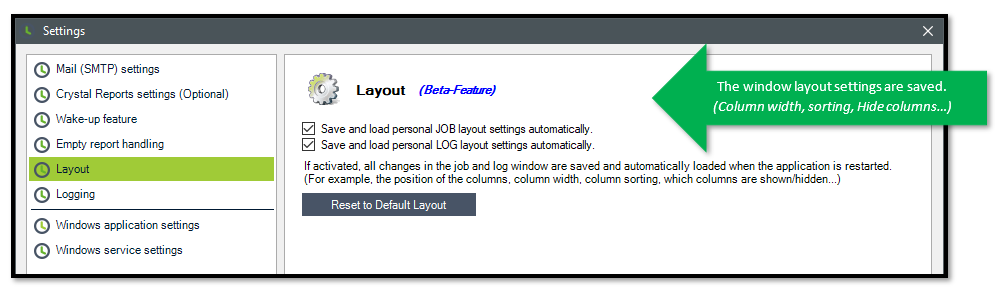
- Feature: SRO can now respond to the Office365 message: "4.3.2 Concurrent connections limit exceeded." and restarts the export in a few seconds.
- Bug fixes, increased stability and client performance improvements.
 Start automatically
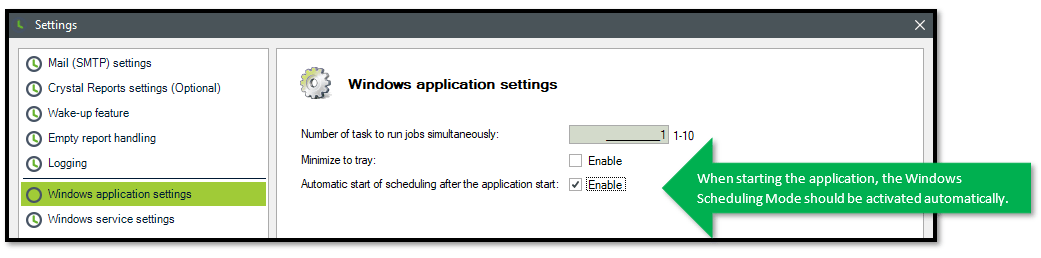
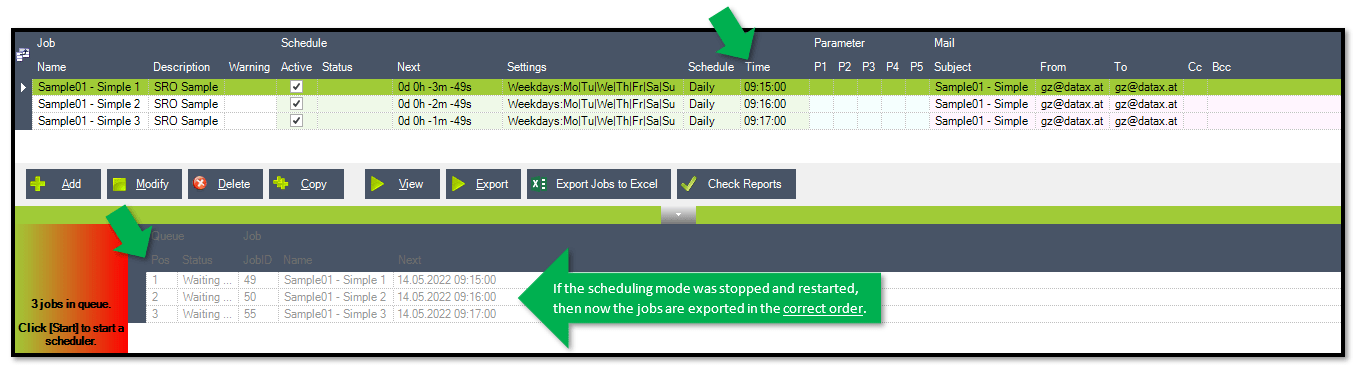
- Feature: Jobs in the queue are started in the correct order".
- Settings: Automatically start Windows Scheduling mode when launching the application.".
- Bug fixes, increased stability and client performance improvements.
- Bugfix: If an e-mail is sent with an empty subject, you will receive the following error message: "Object reference not set to an instance of an object".
- Bug fixes, increased stability and client performance improvements.
- Smart Report Organizer 2021 available in 32-BIT & 64-BIT
- Upgrade to .NET Framework 4.8
- Bug fixes, increased stability and client performance improvements.
- Log Feature: The logging function provides more detailed information which can help in troubleshooting.
- Bug fixes, increased stability and client performance improvements.
-
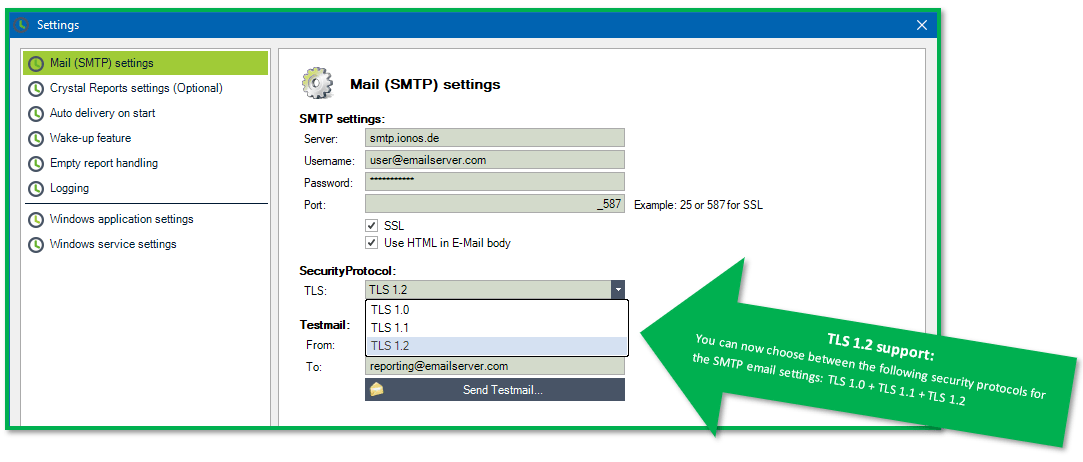
New Feature: SMTP Email TLS 1.2 support
You can now choose between the following security protocols for the SMTP email settings: TLS 1.0 + TLS 1.1 + TLS 1.2
- Bug fixed: The version can now be installed and activated.
- Bug fixes, increased stability and client performance improvements.
 Report Samples
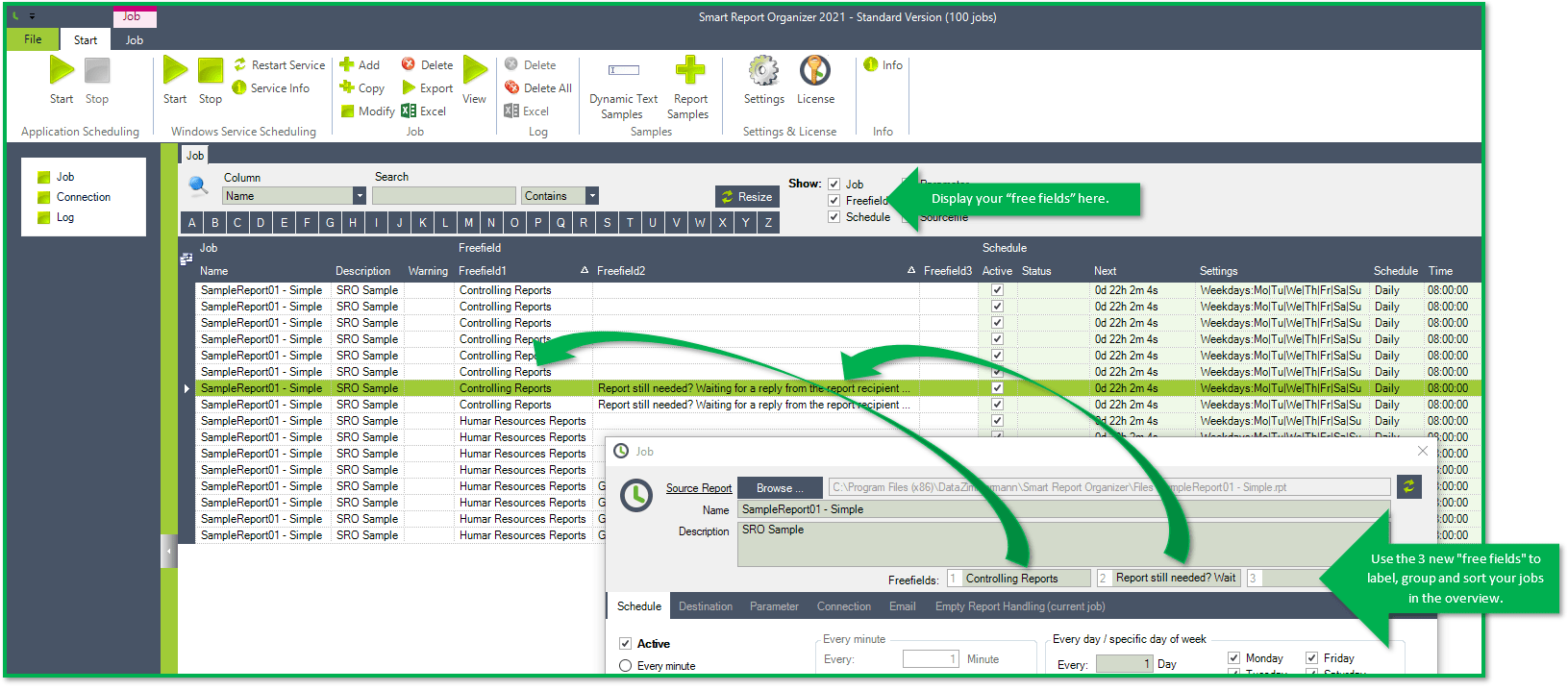
 Free Fields
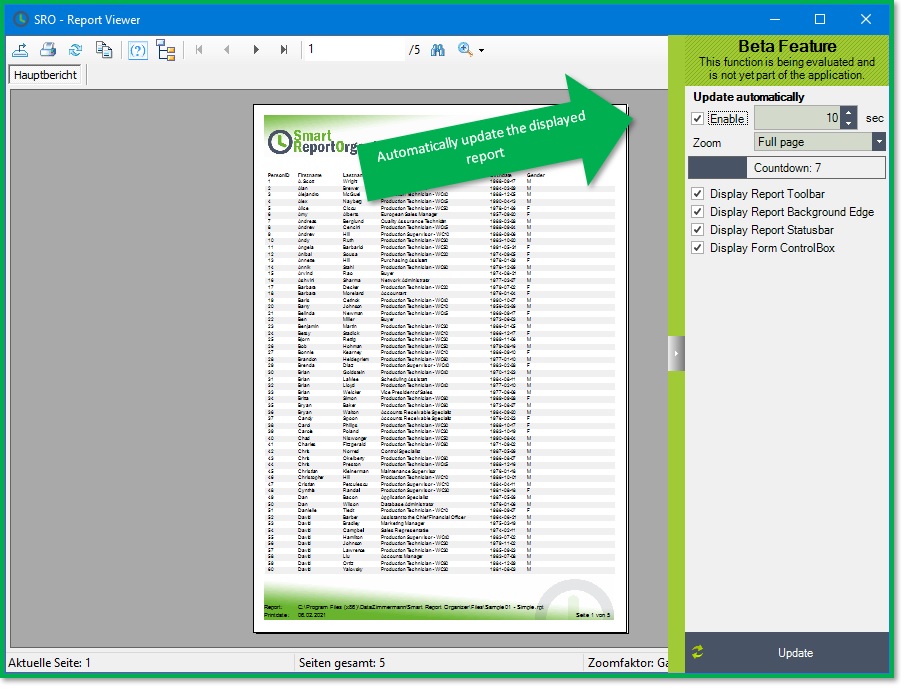
 Report Viewer: Auto-Refresh
-
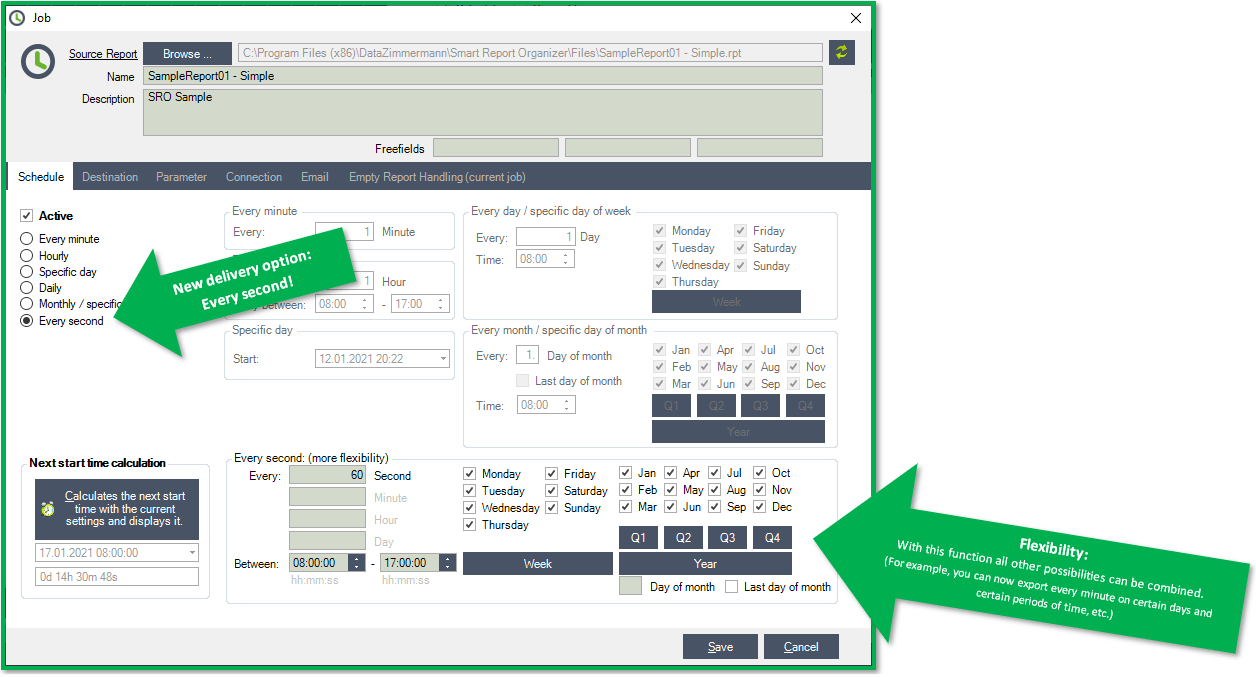
New Feature: Schedule "Every seconds"
With this new flexible solution, anything is possible: You can use it to export reports every second, minute or hour at certain times on certain days or months. You can also use it to generate reports for every "Friday the 13th".
-
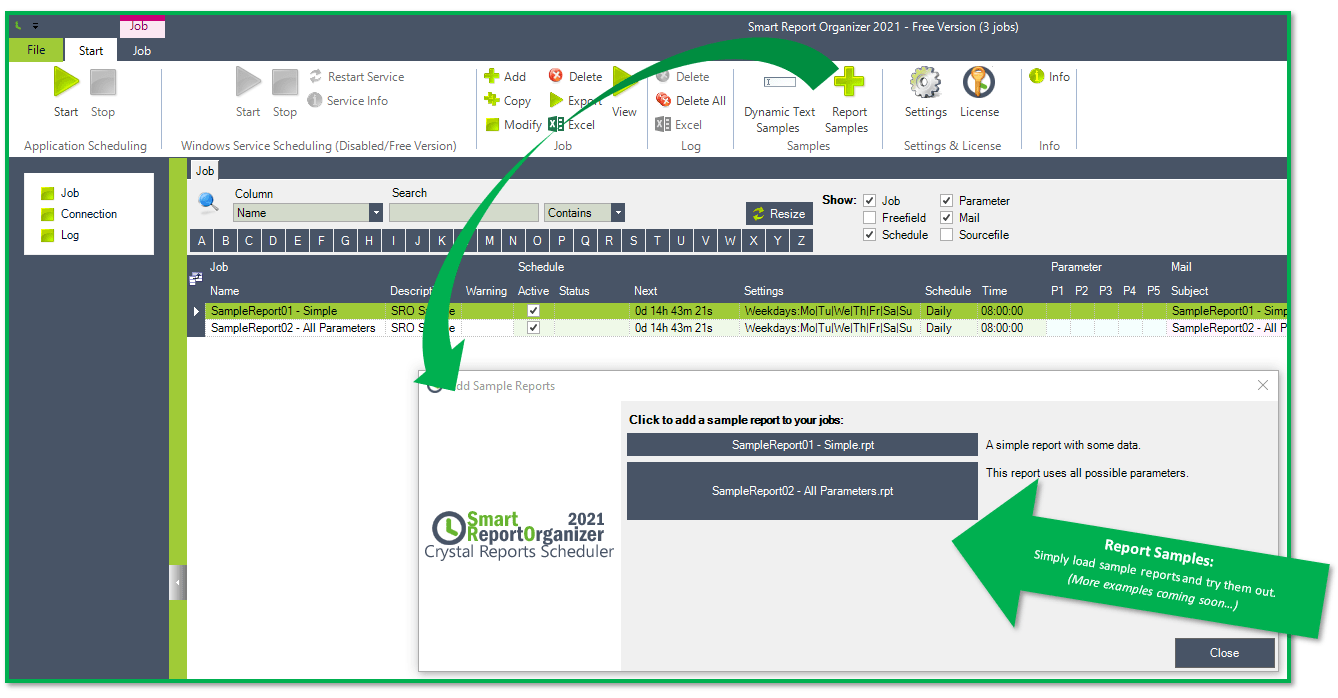
New Feature: Report Samples
With this new feature, you can create simple sample reports as a job that will demonstrate the basic functions of the Smart Report Organizer 2021.
-
New Feature: 3 Free Fields
You can use these "free fields" to label your job. In the job overview you can then sort and filter according to these "free fields".
-
New Feature: Report Viewer: Auto-Refresh
You can now open a report with the crystal report viewer and update it every 30 seconds, for example.
You can then use your crystal report as a dashboard that is constantly updated. - Bug fixed: The free version can now be activated.
- Bug fixes, increased stability and client performance improvements.
-
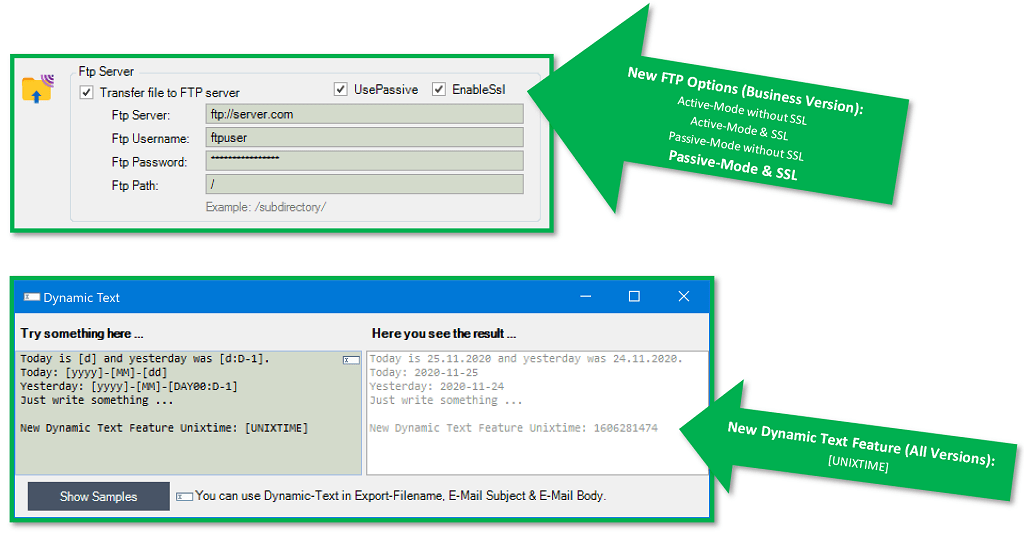
New Feature: FTP Upload
- Active & Passive Mode
- SSL & without SSL
- New Feature: Dynamic Text Option [UNIXTIME]
- Bug fixes, increased stability and client performance improvements.
Version History - Smart Report Organizer 2018
- Bug fixes, increased stability and client performance improvements.
- Windows scheduling mode works stable even after a long runtime.
- Bug fixes, increased stability and client performance improvements.
- A message is displayed when both scheduling modes (Application & Service) are activated.
-
The Windows service can now be started normally with the "Automatic" setting.
(This means that it is no longer necessary to start the service with the "Automatic (delayed start)" setting.) - Bug fixes, increased stability and client performance improvements.
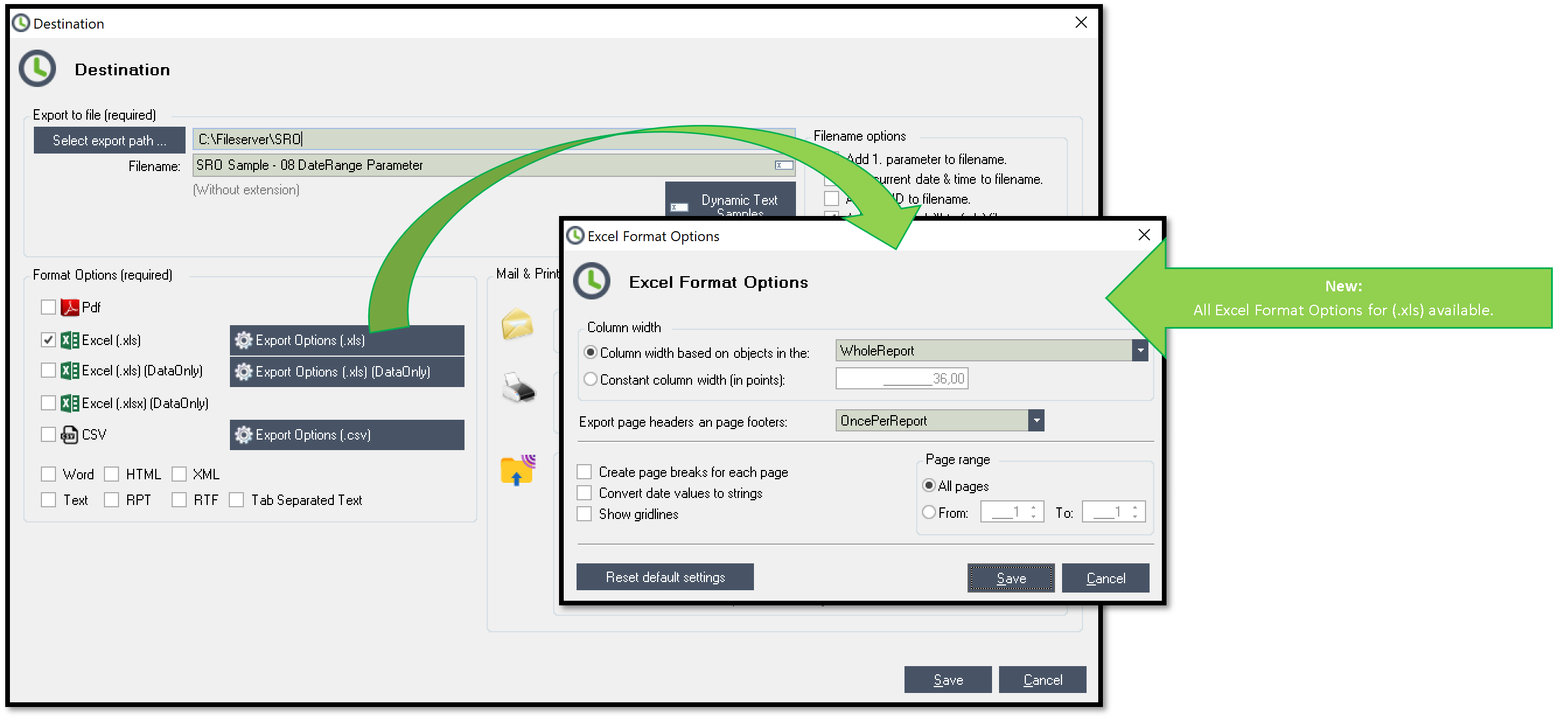
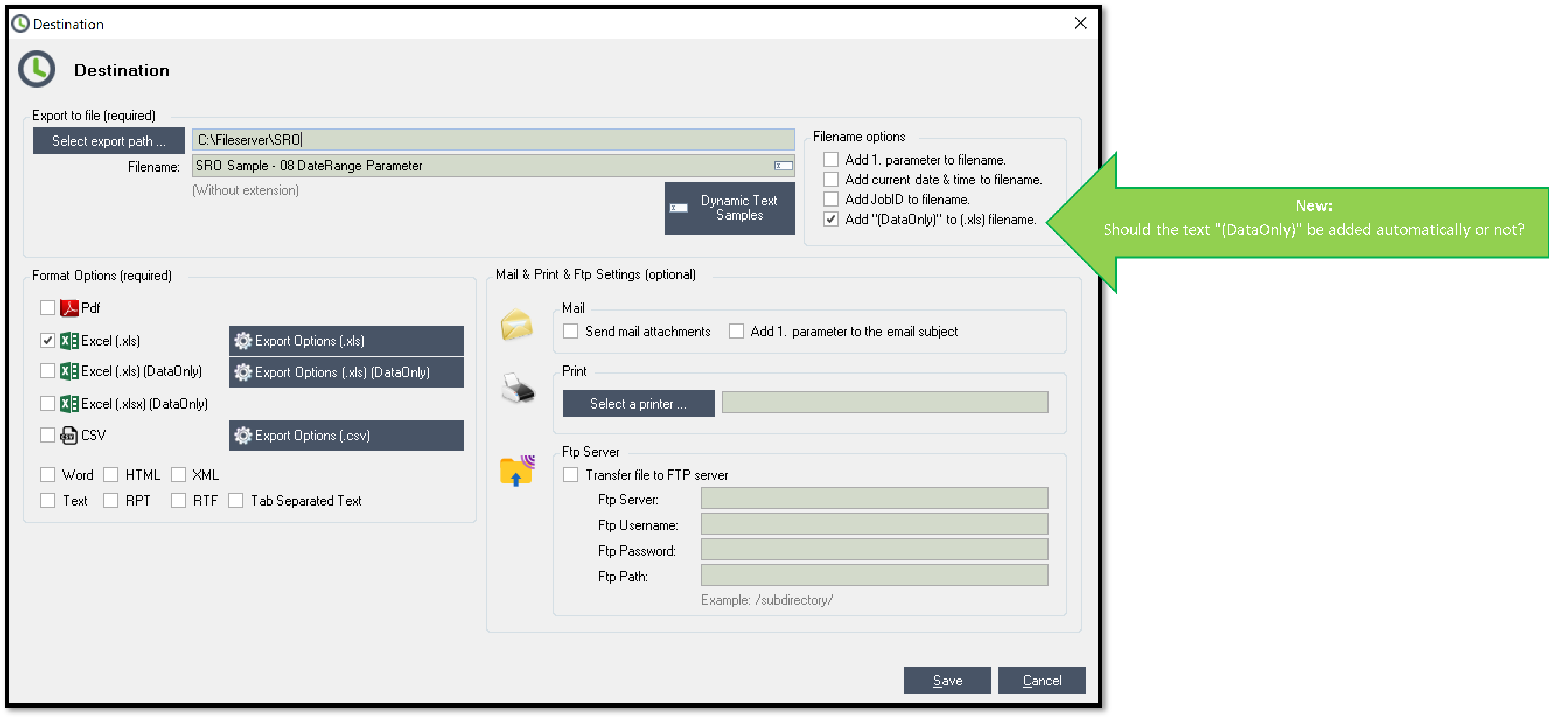
- New feature: .xls: All Excel Format Options for .xls available. (Business-Version)
- New feature: .xls: Should text "(DataOnly)" be added automatically or not.
- Bug fixes, increased stability and client performance improvements.
- New feature: Dynamic-Date-Option: FirstDayOfYear(Years) & LastDayOfYear(Years)
- Bug fixes, increased stability and client performance improvements.

- New feature: New export option: FTP Server (Business-Version)
- Bug fixes, increased stability and client performance improvements.
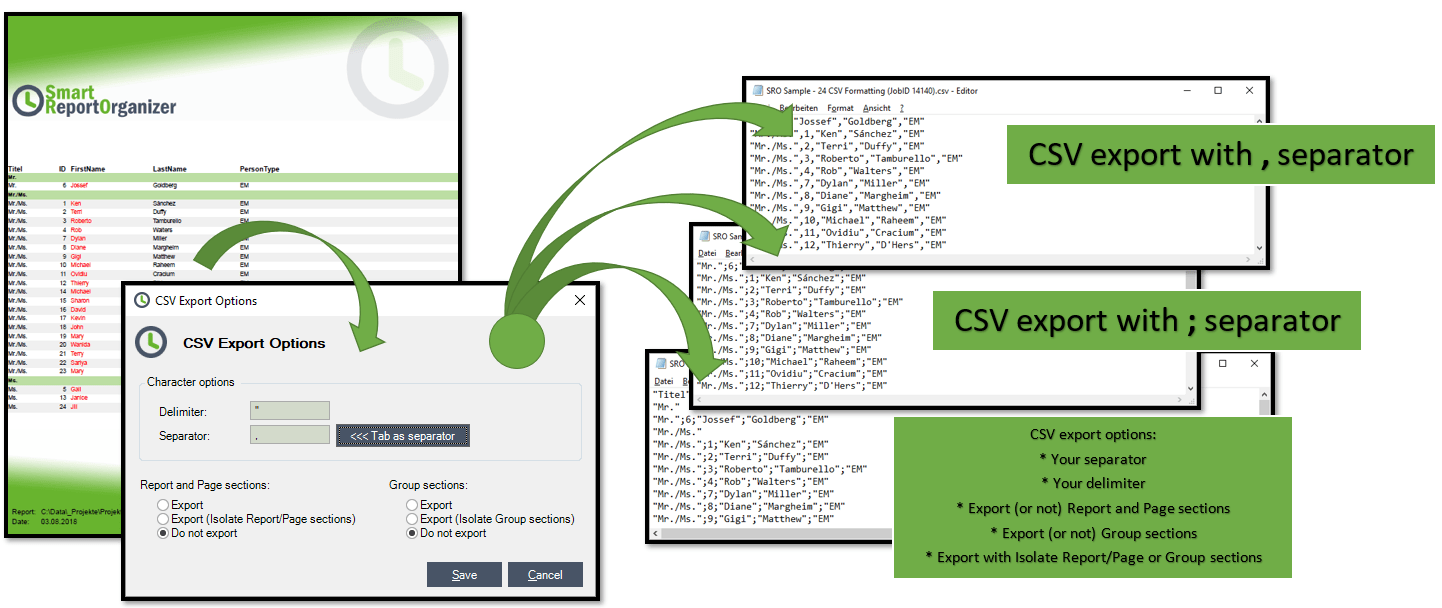
- New feature: CSV Export Options (Own delimiter, separator...) (Business-Version)
- New feature: Optional parameter
- Client application significantly improved. (creating, editing jobs, status refresh)
- Windows-Service activities are now displayed in the client application.
- Bug fixes, increased stability and client performance improvements.
- Fixed issues with "calculate next delivery time" (based on "Monthly" settings).
- Bug fixes, increased stability and performance improvements.
- Fixed issues with viewer and report parameters.
- Fixed issues related to saving destinations with Excel Format Options.
- Fixed issues with updating/refreshing a report.
- Fixed issues with number parameters and negative values.
- Bug fixes, increased stability and performance improvements.
- Windows service feature (Works in the background even if nobody is logged in - most wanted feature 2017)
- Central connection management
- More xls export options
- Scheduling option: every hour between hours
- Automatic check if report files exist and export paths are valid.
- Export format .rpt is now supported.
- Bug fixes, increased stability and performance improvements.
Version History - Smart Report Organizer 2016
- Fixed: [Jobs]/[Connections] does no longer ignore [databasename, username & password] when [Integrated Security] is activated.
- Fixed: [Queue processing sequence] now correctly considers the time of the next job.
- Fixed: [Save settings] does no longer switch to [stop mode].
- Fixed: [Copy settings] -> [Insert destination] does no longer ignore Excel xlsx and Tab Separated Text settings.
- Bug fixes, increased stability and performance improvements.
- Fixed: Connections: On no Integrated Security the database name, user name, password was ignored.
- Fixed: Queue runs now based off time.
- Bug fixes, increased stability and performance improvements.
- New Dynamic Text features. (Example: [yyyy]-[MM]-[dd]-[HH]-[mm]-[ss])
- Bug fixes, increased stability and performance improvements.
- Bug fixes, increased stability and performance improvements.
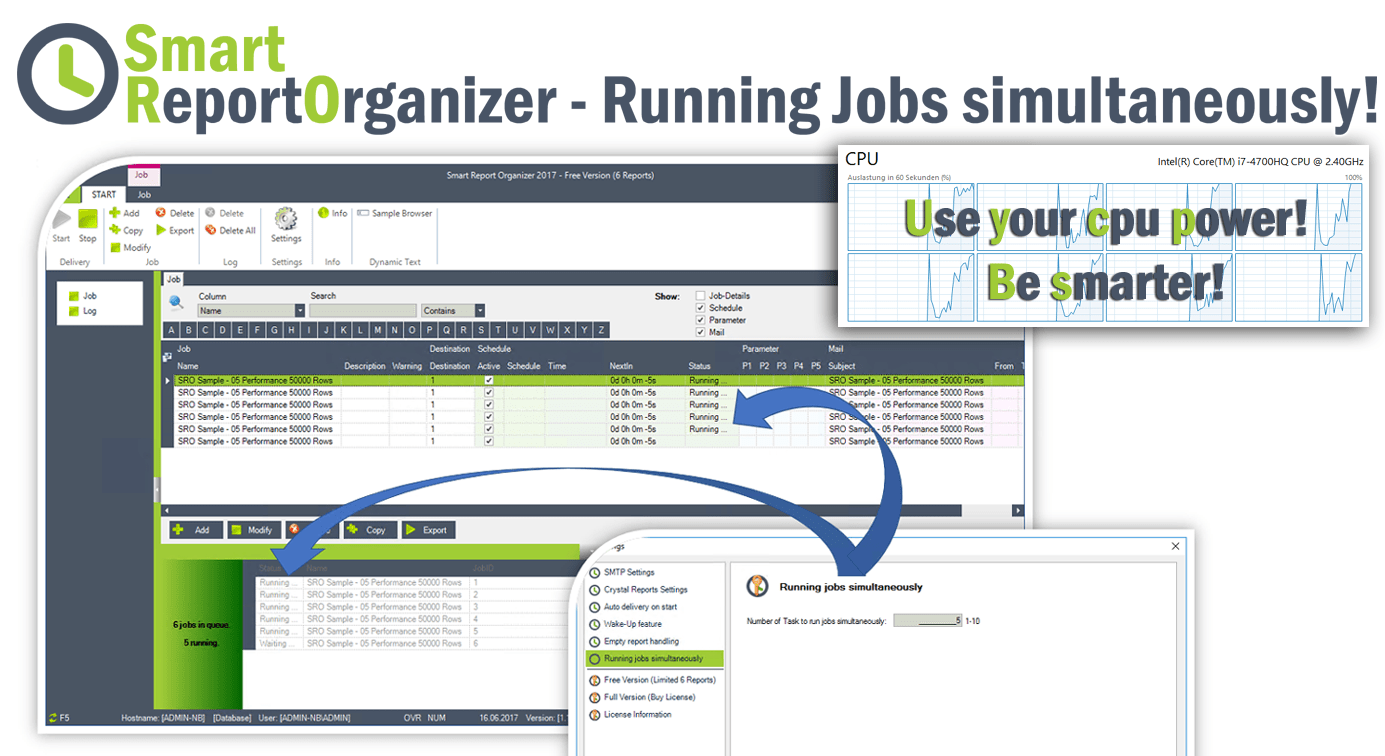
- New feature: Running jobs simultaneously!!
- Bug fixes, increased stability and performance improvements.
- New export feature: Tab Separated Text
- Bug fixes, increased stability and performance improvements.
- Smart Report Organizer checks whether the application has already been started.
- Bug fixes, increased stability and performance improvements.
- New Option: Job/Schedule/Monthly/Last Day Of Month
- Bug fixes, increased stability and performance improvements.
- Fixed: Now smtp servers are supported which do not require (username & password) credentials
- Bug fixes, increased stability and performance improvements.
- Fixed delivery problems
- Several minor useful extensions
- Bug fixes, increased stability and lot of performance improvements.
- Add Export Feature: Excel XLSX Format
- Fixed Problem: Receiving Free-License Key
- New Feature: Empty report handling options (global setting) & (for each scheduled job)
- Bug fixes
-
New Feature: Dynamic Text for
- Export-Filename
- Mail-Header
- Mail-Body
- New Feature: HTML E-Mail Body
- Bug fixes, increased stability and performance improvements.
- New Feature: Support Gmail (Need less secure apps on gmail account)
- Fixed: Export Filename Problems (Queue was not fully processed)
- Fixed: Email Recipient Problems (Queue was not fully processed)
- Fixed: Job Delivery Problems with non integrated security reports (Queue was not fully processed)
- Improved connection string encryption/protection
-
New Feature: Empty report handling options:
- 1. Option: Send mail with empty attachment. (Default)
- 2. Option: Send mail without empty attachment.
- 3. Option: Send no mail.
- 4. Option: Send mail with a specific Empty-Report-Notify Message.
- New Feature: Smart Report Organizer web shop accepts PayPal and now also all credit cards.
- Fixed: Toolbar/Modify-Button now modifies the job correctly.
- New Feature: Settings -> "Auto Delivery on Start"
-
New Feature: Free Version (max 6 Reports) now available!!
- Bug fixes, increased stability and performance improvements.
-
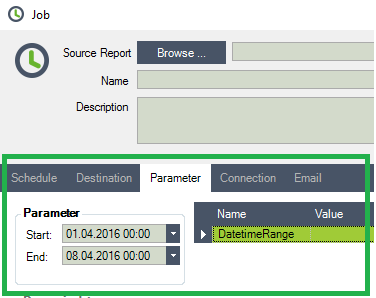
New Feature: Date & DateTime Range Parameter
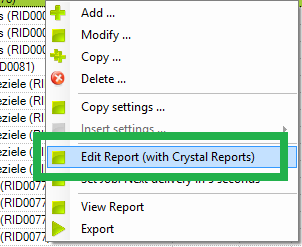
- New Feature: Now edit your Crystal Reports (if installed) directly by using right click.
- Improved Minimize/Maximize Notify Icon Feature.
- Bug fixes, increased stability and performance improvements.
-
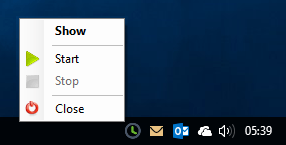
New Feature: Notify Icon
If Smart Report Organizer 2016 is minimized, it appears as Notify Icon on the bottom right of the taskbar.
The key delivery functions (start / stop) can be operated from there.
- Improved delivery performance
- Improved connection string encryption/protection
- New Feature: Parameters in subreports
- Full Windows 10 support
- New Feature: SSL for SMTP mail
- New Feature: Parameters with multiple values
- Improved Delivery Process
- Smart Report Organizer 2016 Release
- Smart Report Organizer 2016 BETA Release