





VIDEO TUTORIAL 01
Getting Started with DataDriven
Explore the included demo database, create sample invoices and discover how DataDriven transforms report automation.

Free Version | Standard Version | Business Version
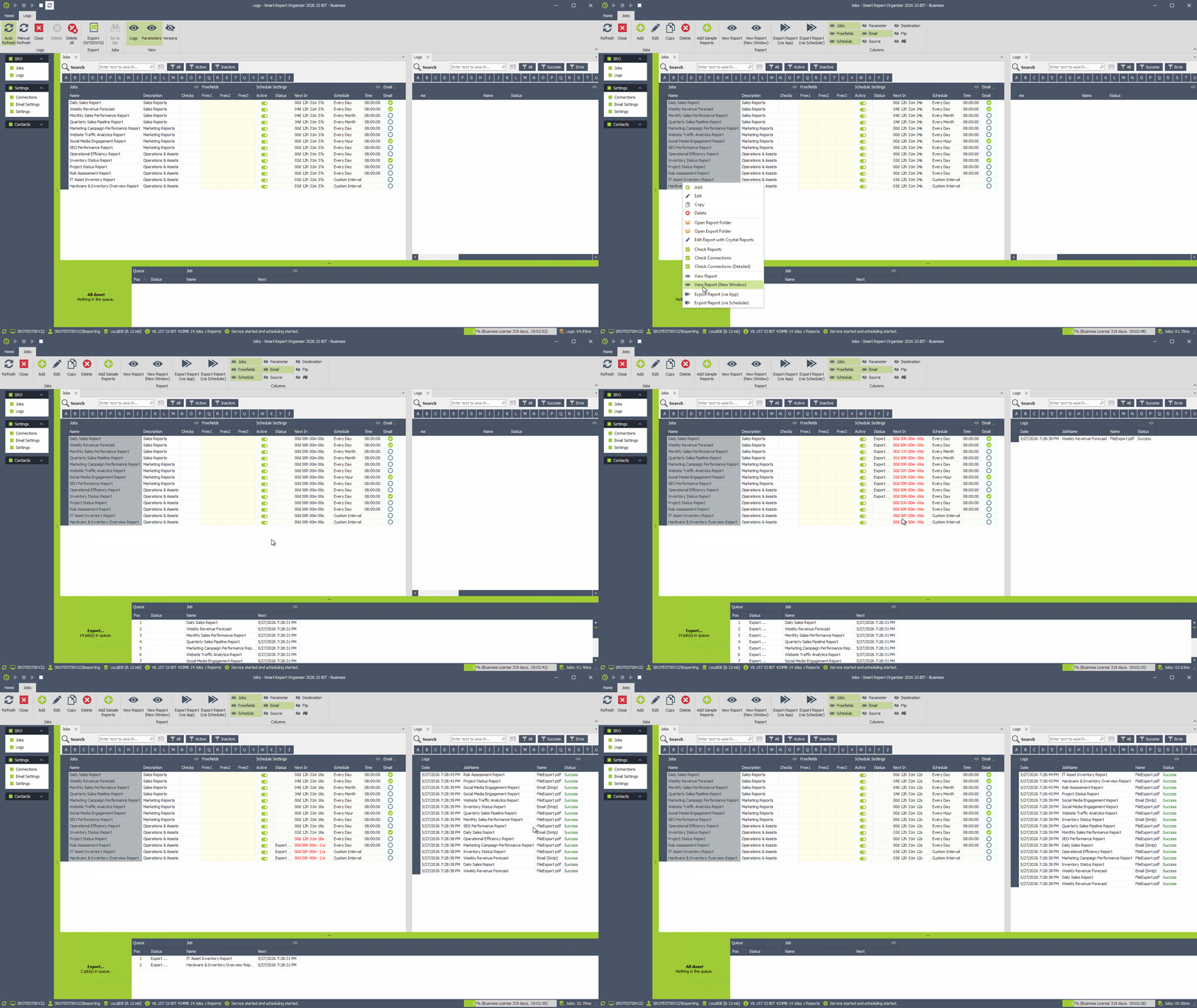
Automated Report Scheduling
Schedule Crystal Reports automatically on an hourly, daily, weekly, or custom basis using flexible execution rules.
Crystal Reports Viewer
Open, view, and manage Crystal Reports directly within the application using the integrated report viewer.
On-Demand Report Execution
Run Crystal Reports manually at any time with support for dynamic parameters and custom execution settings.
Email Report Delivery
Automatically send reports by email in PDF, Excel, CSV, or other formats with customizable messages.
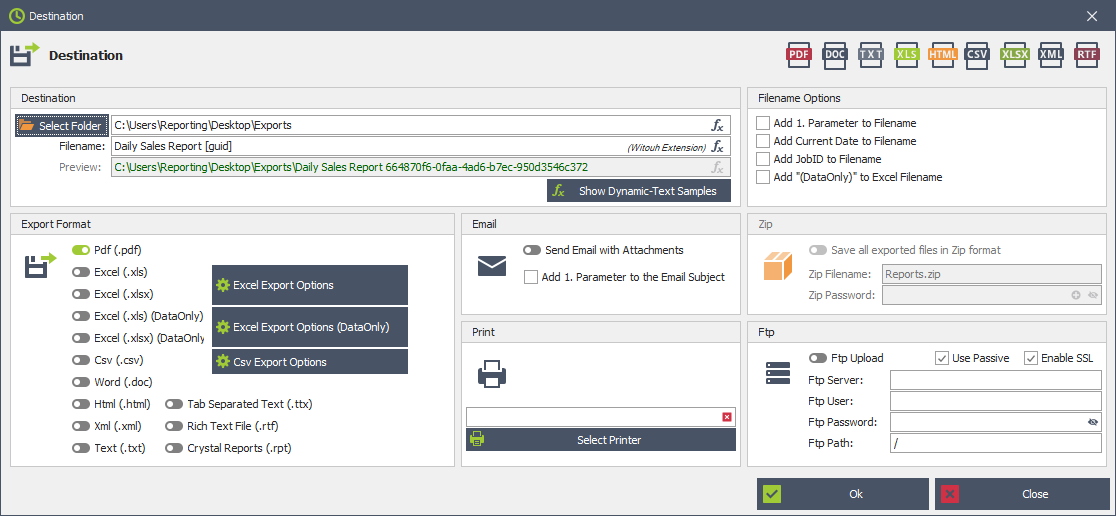
Multi-Format Export
Export Crystal Reports to PDF, XLSX, CSV, XML, HTML, DOC, RPT, and many additional file formats.
Direct Report Printing
Send Crystal Reports directly to local or network printers with automated and unattended print execution.
Execution Logging
Track report execution history, processing times, errors, and delivery status with detailed logging features.
Secure Password Protection
Protect database credentials and connection strings using encrypted password storage and secure authentication.
Multi-Database Connections
Connect Crystal Reports to multiple SQL Server, Oracle, ODBC, or other database environments simultaneously.
Override Crystal Reports parameters during execution to customize filters, dates, and report-specific settings.
Dynamic Text & Variables
Use dynamic values, timestamps, parameters, and placeholders in email subjects, filenames, and report exports.
Empty Report Handling
Configure how empty Crystal Reports should be processed, skipped, archived, or delivered to recipients.
Multithreaded Processing
Generate and distribute multiple Crystal Reports simultaneously for faster execution and improved performance.
Windows Service Support
Run report scheduling tasks silently in the background without requiring an active Windows user session.
Automatically upload exported reports to FTP servers, shared folders, or external storage destinations.
Advanced PDF Export
Create optimized PDF exports with configurable settings for layout quality, file size, and compatibility.
Excel Export Options
Configure advanced XLS and XLSX export settings including formatting, worksheets, and data optimization.
CSV Export Configuration
Customize CSV exports with delimiter settings, encoding options, column formatting, and text qualifiers.
Automatically retry failed email deliveries and control sending rates to prevent email provider limits from interrupting report distribution.
Send Crystal Reports through the SendGrid Email API using secure API key authentication.
Automatically generate and distribute personalized Crystal Reports for every record returned by a database query.
Use database fields to personalize report parameters, email recipients, subjects, messages, and export filenames.
Automatically generate and send individual reports and HTML emails to customers, employees, or business partners.
Select your Crystal Reports and configure automated scheduling times in just a few steps.
Export Crystal Reports in multiple formats and automatically deliver them to email, folders, FTP, or other destinations.
Use the Windows service to execute Crystal Reports scheduling tasks in the background without requiring an active user login.
Transform your existing Crystal Reports into powerful database-driven workflows. Automatically generate hundreds of personalized reports, invoices and HTML emails – all from a single ReportJob.
Explore the included demo database, create sample invoices and discover how DataDriven transforms report automation.
Configure dynamic expressions, personalized HTML emails, live previews, export filenames and automated invoice delivery.
Discover all features, real-world use cases and the DataDriven workflow.
Smart Report Organizer is a powerful and user-friendly Crystal Reports Scheduler designed to automate report generation, scheduling, export, and distribution.
Schedule Crystal Reports hourly, daily, weekly, or with fully customized execution intervals. Automatically export reports to PDF, Excel, CSV, XML, HTML, and other formats, and deliver them directly to email, network folders, FTP servers, printers, or shared locations.
With advanced Crystal Reports Automation, businesses can eliminate repetitive manual reporting tasks, reduce errors, and ensure reports are delivered accurately and on time.
The integrated Crystal Reports Viewer allows users to open, manage, and review reports directly inside the application. Dynamic parameters, flexible scheduling rules, execution logging, and Windows service support provide maximum control for professional reporting workflows.
Whether you need automated sales reports, financial overviews, inventory reporting, or business intelligence dashboards, Smart Report Organizer helps simplify and optimize your reporting processes.
Designed especially for small and medium-sized businesses, Smart Report Organizer offers a professional reporting solution at an affordable price, starting at just $250 per year without hidden fees or complicated licensing.
Automate your Crystal Reports today and improve productivity with reliable report scheduling, export, and distribution.
Schedule, export, distribute, and deliver Crystal Reports automatically with Smart Report Organizer.
Download Free Version
Automate Crystal Reports scheduling and delivery
Smart Report Organizer helps businesses automate
Crystal Reports scheduling, export, and distribution
with a powerful and easy-to-use reporting solution.
Generate reports automatically on hourly, daily,
weekly, or custom schedules and deliver them directly
to email, folders, FTP servers, printers, or shared
network locations.
Reduce manual work, improve reliability, and streamline
your reporting workflows with advanced report automation.
Improve business decisions with automated reporting
Deliver accurate and up-to-date reports automatically
to managers, departments, and decision-makers without
manual intervention.
Export reports to PDF, Excel, CSV, and other formats
to support data-driven business intelligence workflows,
financial reporting, operational monitoring, and
performance analysis.
Keep your teams informed with reliable and consistent
automated report delivery.
Extend the power of SAP Crystal Reports
SAP Crystal Reports provides professional reporting
capabilities for business-critical data from multiple
database systems and enterprise applications.
Combined with Smart Report Organizer, organizations
can fully automate report execution, scheduling,
export, printing, and distribution processes.
Ideal for companies looking to simplify enterprise
reporting and optimize report management across
departments and business systems.

Cookies are used on our website. Some of them are mandatory, while others allow us to improve your user experience on our website.
Essential cookies are needed for basic website functions. This ensures that the website functions properly.
Essential Cookies
Marketing cookies include tracking and statistics cookies.
Google Analytics
MouseFlow