Help Center - Configure Parameters
Configure Parameters
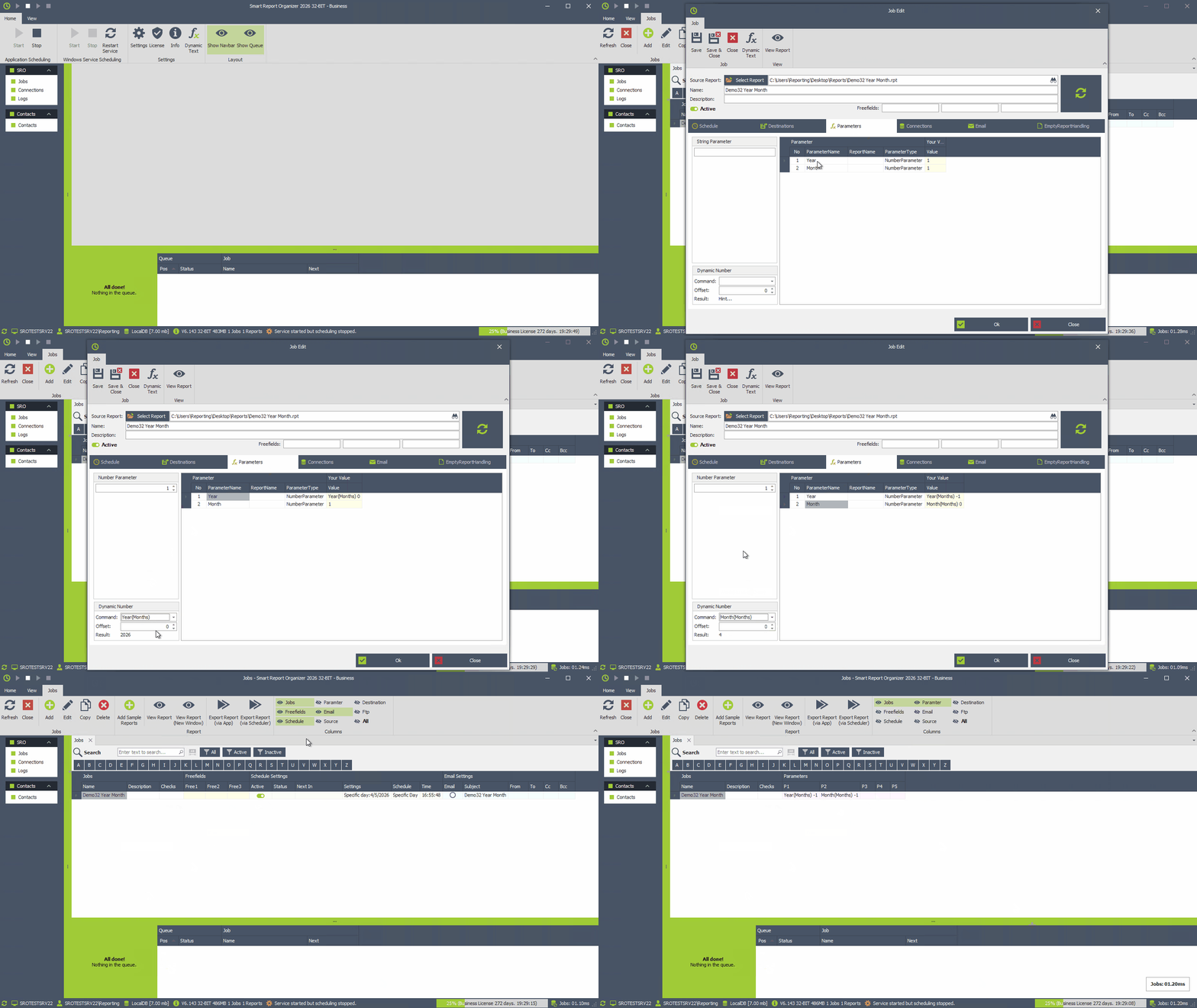
Define the parameters that will be automatically applied when the report runs.
- Go to the [Parameters] tab
- Add required report parameters
- Enter fixed values if your report should always run with the same parameters
- Use dynamic values if parameters should be calculated automatically before the job runs
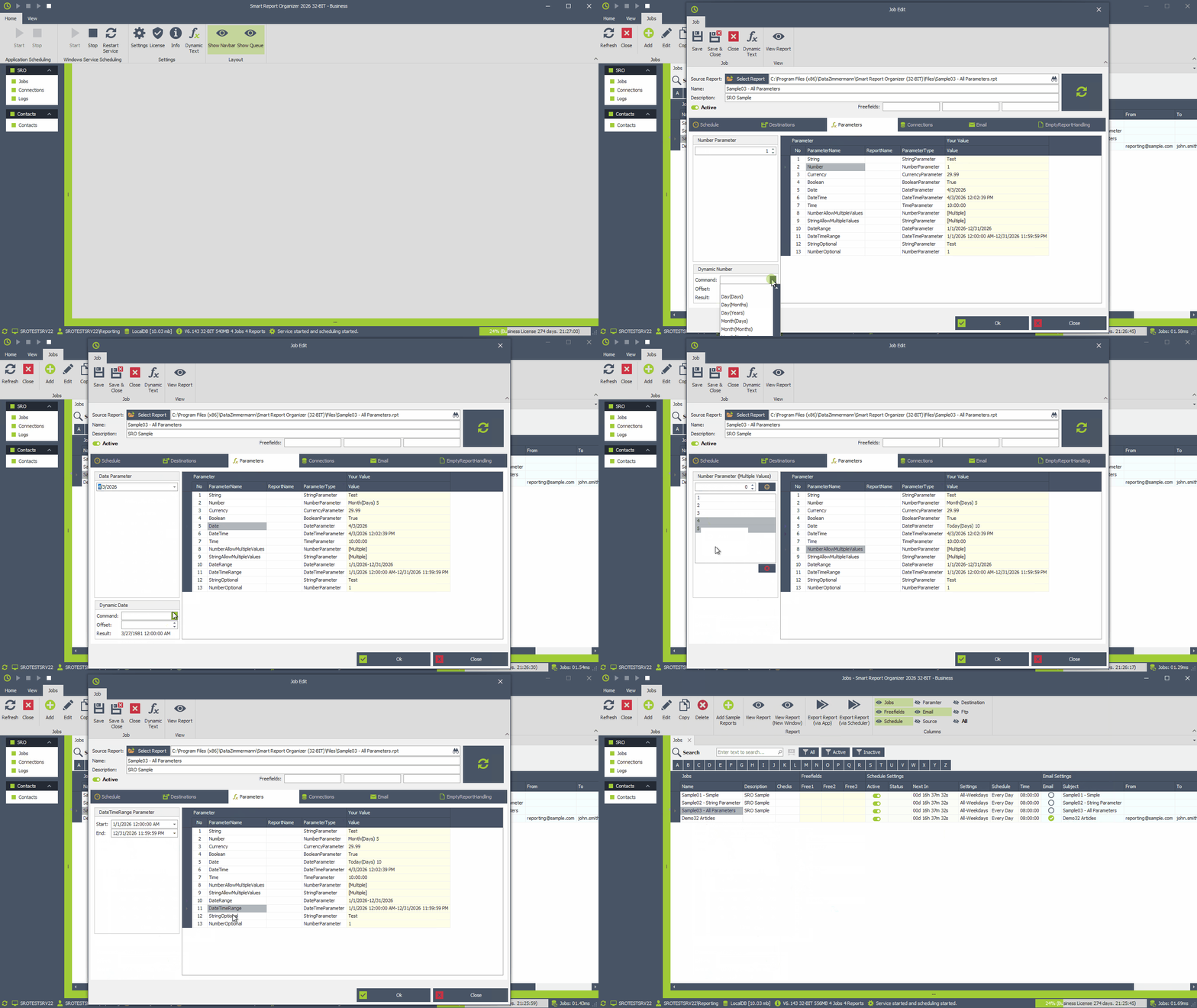
Dynamic Parameters
Automatically calculate parameter values based on the current date or time (e.g. yesterday, last month, current year, next week).
This works for all parameters depending on their type (Date, DateTime, Number).
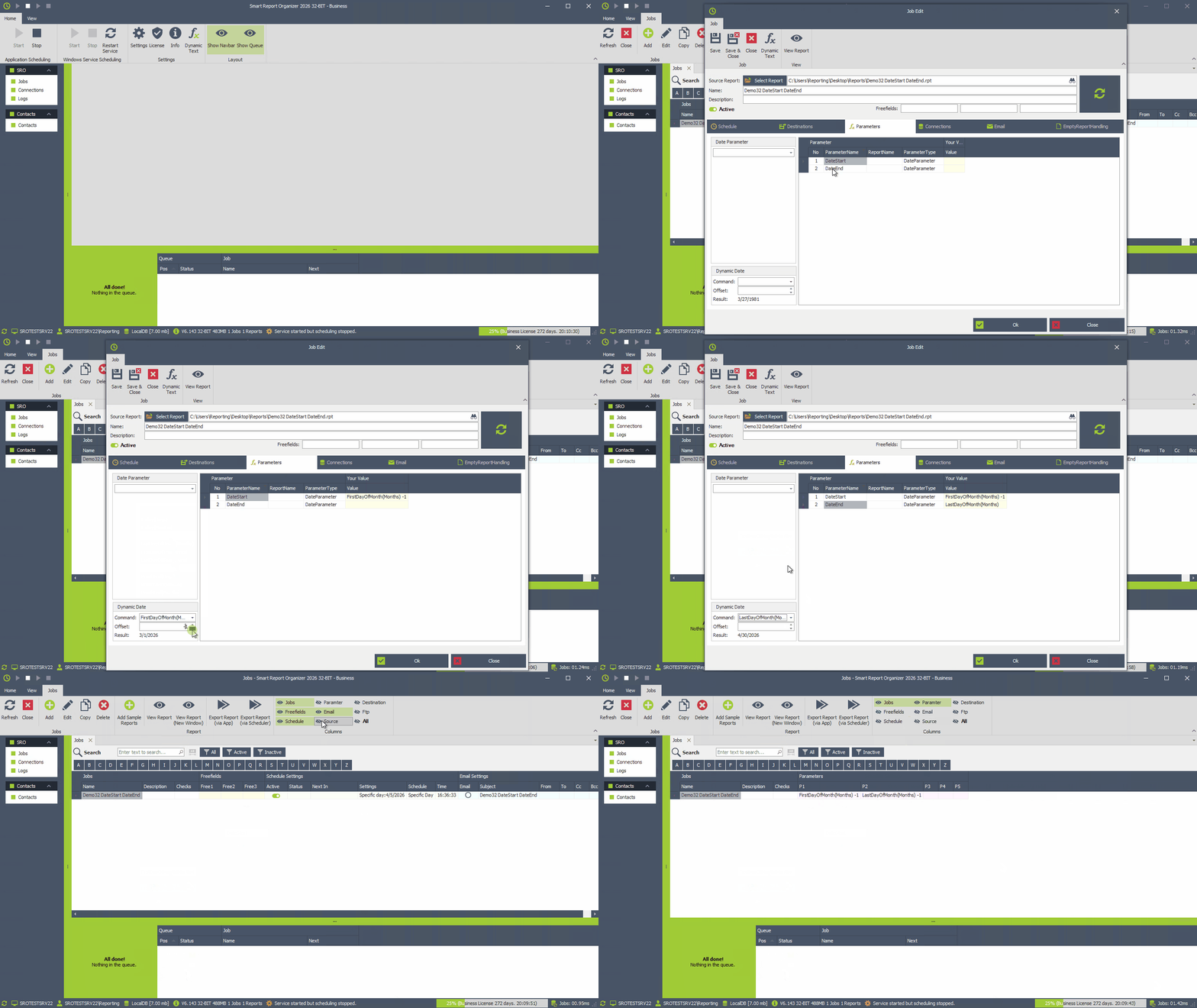
Example: Previous month using date parameters.
Example: Previous month using number parameters.